Google confirmed it in its own Google Ads Help documentation: Local Services Ads is folding into Performance Max, starting with plumbing, HVAC, electrical, appliance repair, house cleaning, lawn care, roofing, pest control, and moving companies in the United States in August 2026. A second wave hits service area businesses and accounts with custom bidding later in 2026. Everyone else, plus every account outside the US, follows in 2027.
We read the primary source and roughly a dozen agency writeups of it. Almost all of them explain the new dashboard, the new bidding rules, and the new budget structure. Almost none of them ask the one question that matters if you route your leads anywhere other than your inbox: what happens to the pipe.
What Google actually announced, versus what agencies are implying
The confirmed part is narrow. Google’s own page states the migration is “a more integrated, self-service experience inside the Google Ads platform,” and that advertisers keep the pay-per-lead pricing model: you still pay for a valid call, message, or booking, not a click. Manual bidding, meaning setting your own maximum cost per lead, goes away. Performance Max takes over bid management for everyone once they migrate.
Those are confirmed changes. WordStream calls it a consolidation that saves advertisers from hopping between two accounts. That explains the account consolidation. The separate question is what happens to a lead once it leaves Google’s dashboard and needs to land somewhere a business actually works from, like a CRM.
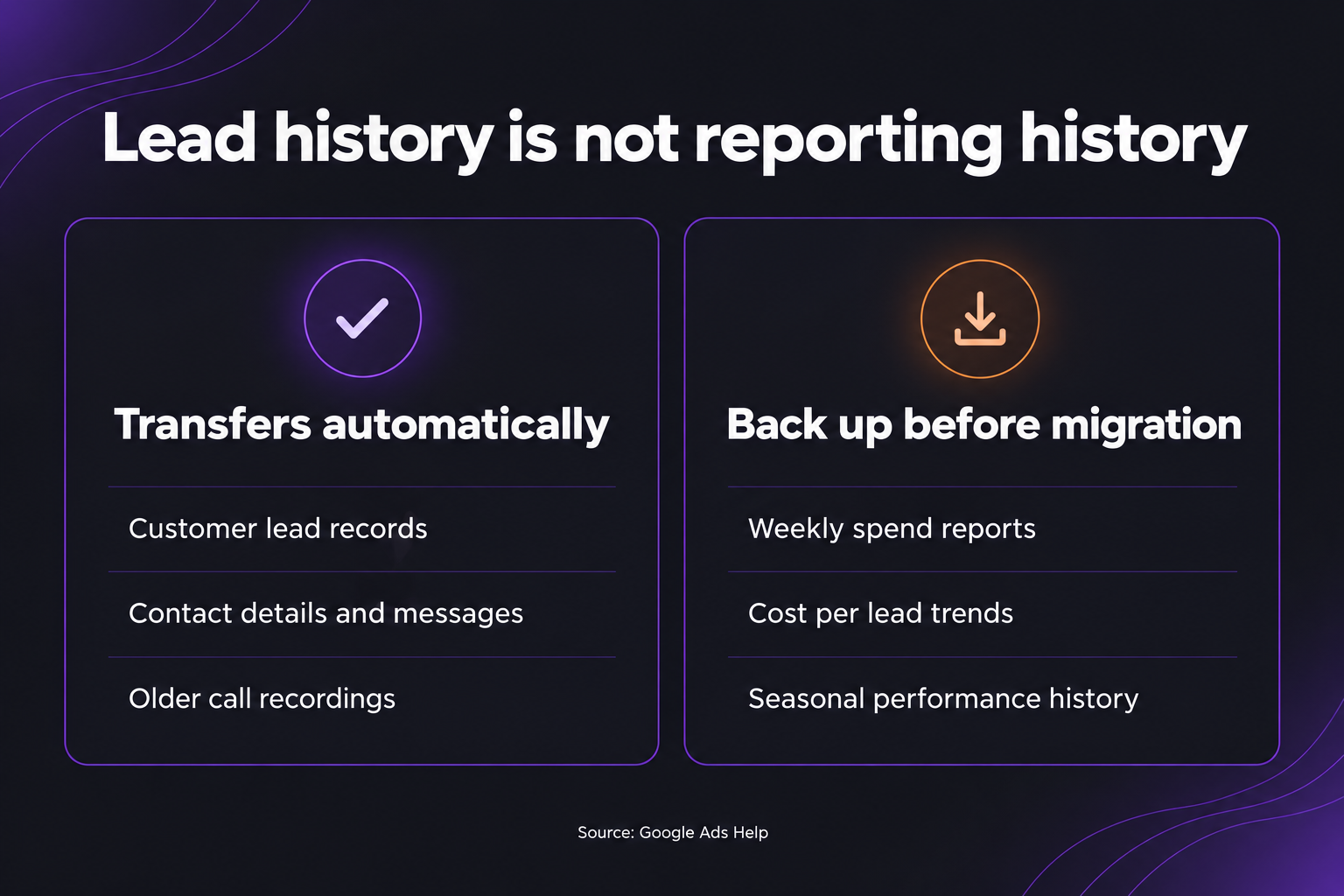
Google’s migration guide raises a real warning: historical performance reports, including weekly spend and seasonal cost per lead trends, do not carry over. Google also gives account administrators 14 days’ advance notice. WordStream, covering the same migration, says the opposite about a different piece of data: “past lead data will automatically transfer to Google Ads,” referring to the actual lead records rather than the performance reports.
These are two different things. Read together, the pattern is this: your list of leads, meaning the calls and messages themselves, moves with you into the new Lead Manager tab. Your reporting history, the campaign level trends that tell you whether October always runs expensive for HVAC leads, does not move automatically and needs a backup first. That distinction decides which data needs a backup before your account moves.
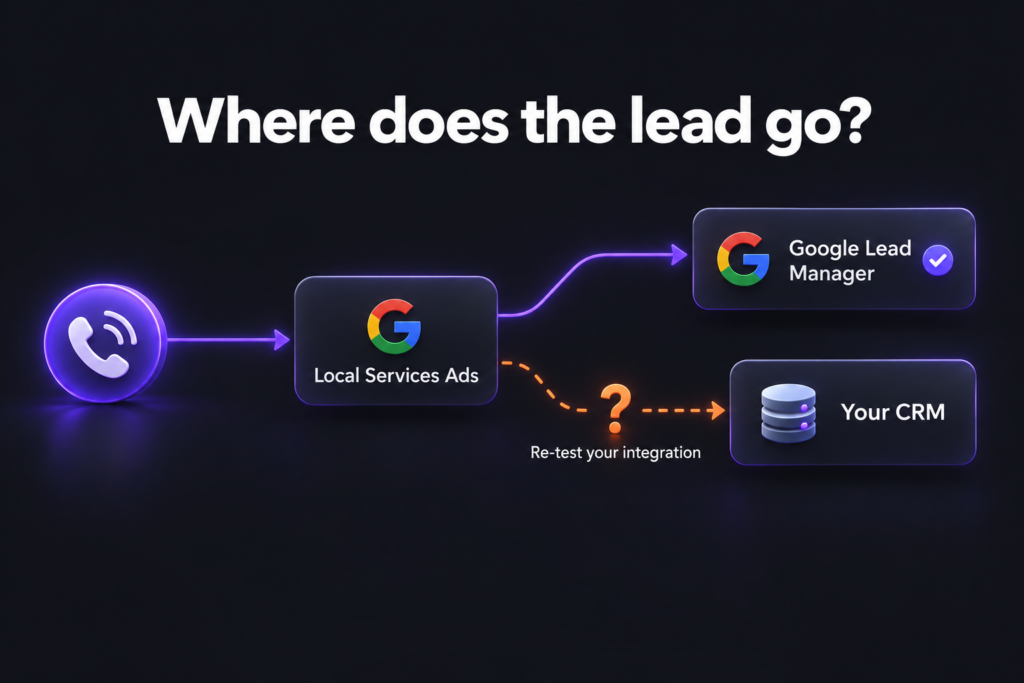
The question nobody in the coverage is asking: does your CRM still get the lead?
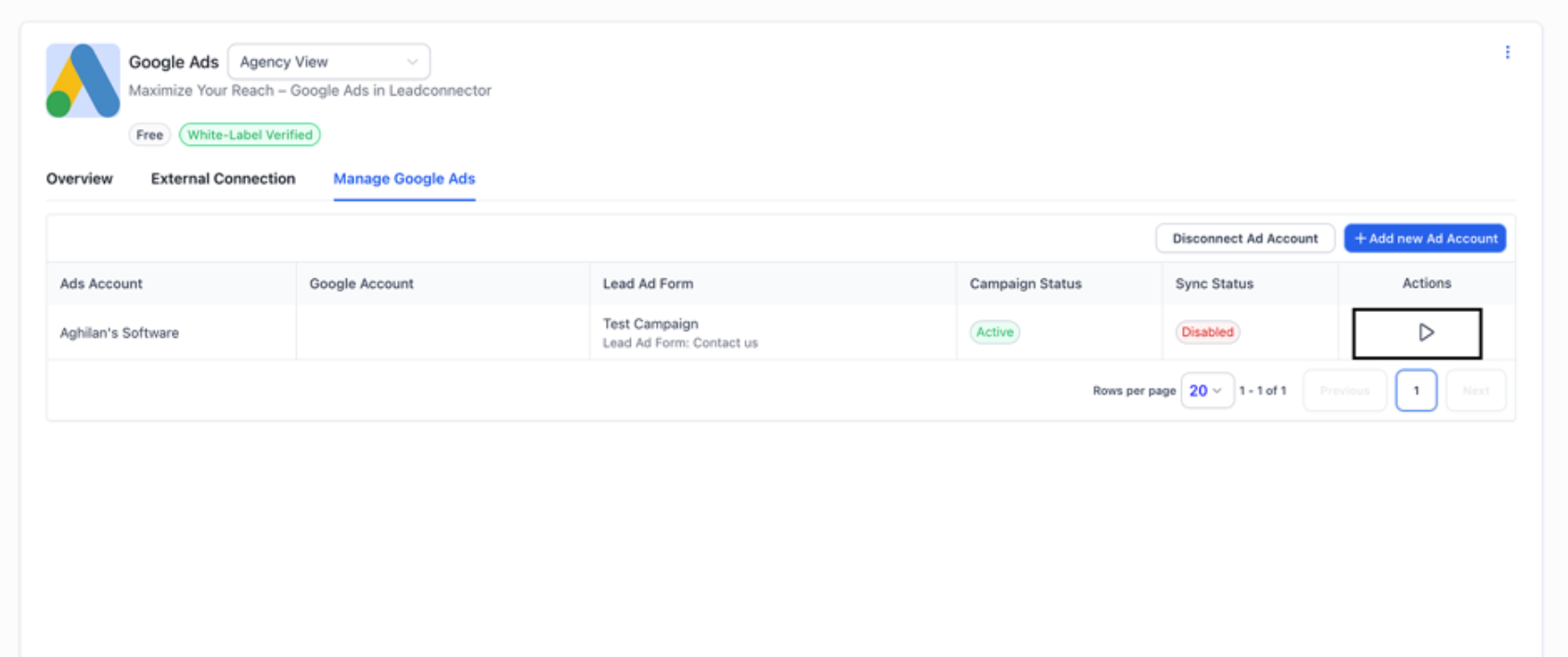
Here is where it gets relevant to how we actually build systems for clients. Local Services Ads has never piped leads into a CRM the same way a standard Google Ads lead form does. We checked GoHighLevel’s own current integration documentation for this article: its Google Lead Ads integration explicitly connects “Google Lead Forms,” meaning the standard lead form ad unit inside regular Search or Performance Max campaigns. Local Services Ads is not mentioned anywhere in that support article. If a business today wants its Local Services calls and messages showing up as contacts in GoHighLevel, HubSpot, or a service dispatch tool, that is already a custom build, stitched together through the Local Services lead resources in the Google Ads API, described in the Local Services Ads API documentation, a Zapier-style connector, or a manual CSV export from the old LSA dashboard. It is a different animal from the routing workflow we use for standard web form leads, which GoHighLevel supports natively end to end.
That matters because Google has changed this exact API surface before without much warning. In a 2024 developer forum thread, an agency reported that the Local Services Ads Detailed Lead Report table was being deprecated in favor of the general Google Ads API, and that a field their client dashboards depended on, the consumer’s phone number, was coming back empty on the replacement path. Google’s own API team asked for logs and screenshots rather than confirm a fix. That thread is two years old and unrelated to this specific migration, but it is the closest precedent we have, and it is not reassuring: when Google restructures how Local Services lead data is exposed, the businesses that get hurt first are the ones with a custom integration nobody has re-tested since it was built.
So the honest advice is not “wait and see.” It is a five minute audit you can run this week if a Local Services account touches any part of your stack:
- Find out which of the nine migrating verticals your account falls under, and check the exact notice Google sent to your account for your specific migration date, since the phase dates are ranges, not a single day.
- Confirm, in writing from whoever built it, whether your CRM or dispatch tool receives Local Services leads through the official API, a hidden CSV export step someone runs manually, or a form field that was never actually wired to Local Services at all.
- Back up the last twelve months of performance reports, not just lead records, before your migration window opens. Weekly spend and cost per lead by service line is the data Google flags as not transferring, and it is the data you will want if a client or a partner ever asks you to prove seasonal patterns. If a report download is not available yet, Google’s guide says to take screenshots before migrating.
- Re-test the integration the week after your account migrates, not the week before. Google states the migration itself can take up to two weeks to fully complete, so a test run during that window can pass or fail depending on the day. That kind of audit is part of workflow automation work, not paperwork around it.
What does not change
The core commercial model survives. You are still paying for a validated lead, not an impression or a click, which is the one feature that made Local Services Ads worth the friction of Google’s screening and licensing checks in the first place. Existing leads, per Google’s own page, remain visible and manageable, just under a Leads tab inside the Google Ads Lead Manager instead of a separate app. If your only relationship with Local Services Ads is checking the dashboard and calling people back yourself, this migration is closer to a redesign than a disruption.
What we are checking on our own accounts
We made the case for judging Google Ads by CRM outcomes rather than dashboard metrics in an earlier piece, and this migration is the same argument wearing a different hat. We manage Google Ads for clients in exactly the verticals hit by this first wave. Our plan is not clever: pull twelve months of performance history well before any account hits its migration window, then re-run every lead-to-CRM connection the week after migration completes rather than assume an earlier test still holds. If a client’s setup routes only standard lead forms through the Google Lead Ads path GoHighLevel already documents, that documented connection is separate from Local Services Ads. It does not confirm that Local Services leads reach the CRM. If it is a custom build, we would rather find the gap ourselves than have a client find it when a week of calls goes missing from the pipeline.
What we do not know yet
We have not seen a single account complete the full migration and report back on integration behavior, because phase one only opened in August 2026 and the rollout itself can run two weeks per account. Anyone telling you with confidence exactly how a specific third-party CRM will behave after migrating is guessing, us included, until enough accounts have actually gone through it. We would rather say that plainly than borrow certainty from a marketing writeup that never checked. If your account has already migrated and your CRM connection either broke or held without issue, we want to hear which one happened and what you were using to route the leads.
Frequently asked questions
Is Local Services Ads actually shutting down?
No. It is moving into the Google Ads platform as a Performance Max campaign type rather than being discontinued. The pay-per-lead pricing stays. The separate dashboard and app are what get retired, on a phased schedule running from August 2026 through 2027.
Will I lose my Local Services Ads lead history when I migrate?
Individual lead records carry over into the new Lead Manager tab automatically, based on Google’s own documentation. Performance reporting, such as weekly spend and cost per lead trends, is the part flagged as not transferring automatically, so back up that history before your account’s migration window opens.
Can I still set my own cost per lead after the migration?
No. Manual bidding is removed once an account migrates. Performance Max manages bidding for you, which is the single largest control change in this update for advertisers used to capping their cost per lead manually.
Does my CRM automatically receive Local Services Ads leads?
Only if someone built that connection specifically. GoHighLevel’s native Google Ads integration, for example, is documented as covering standard Google Lead Form ads, not Local Services Ads. If your CRM already receives Local Services leads, that is a custom integration worth re-testing after your account migrates.
When does this affect my business?
Phase one covers plumbing, HVAC, electrical, appliance repair, house cleaning, lawn care, roofing, pest control, and moving businesses in the US starting August 2026. Service area businesses without a storefront and accounts with custom bidding follow in late 2026. Everyone outside the US, and any remaining category, migrates in 2027.
If your ad spend and your CRM are not talking to each other yet
This migration is a small, forced example of a bigger pattern we see in almost every account we take over: the ad platform, the CRM, and the reporting live in three places that nobody has actually connected, which is exactly the gap a connected growth system is built to close. If you want a second set of eyes on whether your Google Ads or Local Services leads are actually landing where your team works from, book a strategy call and we will look at the actual data path with you, not just the campaign settings.
Benison David Sanchez is the CEO and AI Digital Marketing Strategist of BDGS Digital, a technology, CRM, automation, and growth company based in the Philippines and serving clients globally. He leads digital marketing and client acquisition for the company, and over five years has worked with more than 100 businesses across ecommerce, service, coaching, accounting, and technology, building connected growth systems where every campaign ties back to a larger system rather than running in isolation. He writes about what those builds actually look like, including the parts that break, and lately that means re-testing his own clients’ ad-to-CRM pipes before assuming a Google migration behaves the way the announcement implies.
Connect on LinkedIn.