Technology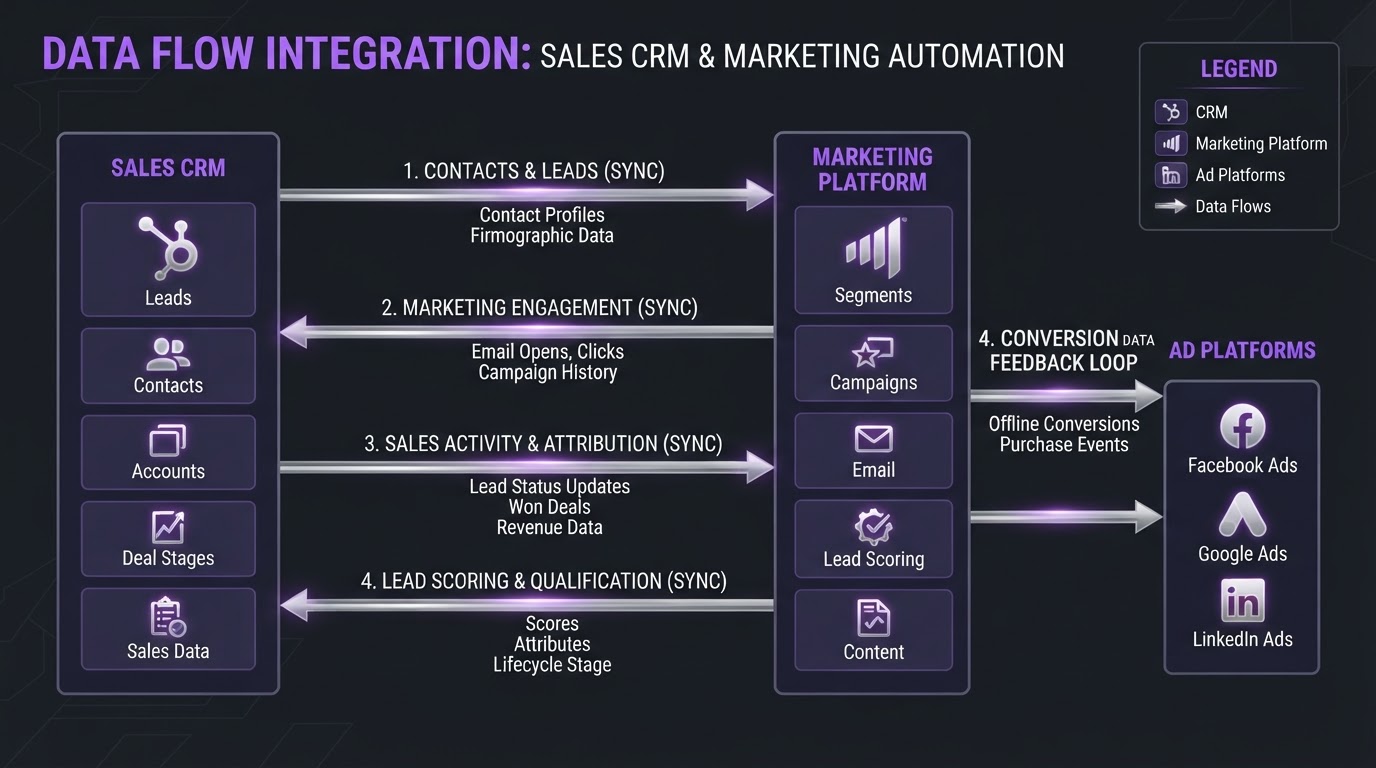
CRM Marketing Integration: The Complete Guide
A service business came to us with a contact database roughly half the size it appeared to be. The rest were duplicates, generated steadily by an email platform that had been syncing both ways for over a year. Worse, the duplicates carried a blank lead source, because the sync wrote that field in both directions and the marketing tool kept winning. They had paid for the connector. They had followed the setup guide. The integration worked exactly as configured, and it quietly destroyed their attribution data while doing it.
That is the part most guides skip. Connecting a CRM to your marketing tools is not a purchase, it is a set of four decisions about data. Get them right and the connector is almost incidental. Get them wrong and you will corrupt your database faster than manual entry ever could.
One disclosure up front: GoHighLevel is part of our own service stack, so we reference it more than a neutral survey would. The decisions below apply the same way on HubSpot, Zoho, Salesforce, or anything else. If you are still evaluating the platform itself, the platform we run our own agency on is covered in a separate review.
CRM marketing integration means your CRM and your marketing tools share a single definition of a contact, agree on which system is allowed to change which field, and pass events to each other in a defined direction. It is a data contract, not a connection.
Most people picture it as plumbing: a pipe between two boxes. The plumbing is the easy part and every major platform ships it. What nobody ships is the contract, because the contract depends on how your business works.
Three things move across that connection, and they have different rules. Records are the people, and the risk there is duplication. Fields are the attributes attached to people, and the risk there is overwriting. Events are the things that happened, form submitted, email opened, deal closed, and the risk there is firing automation on the wrong signal or not firing at all.
We wrote about the shape of this in what a connected growth system actually is. This post is the layer underneath that one. Fewer principles, more field names.
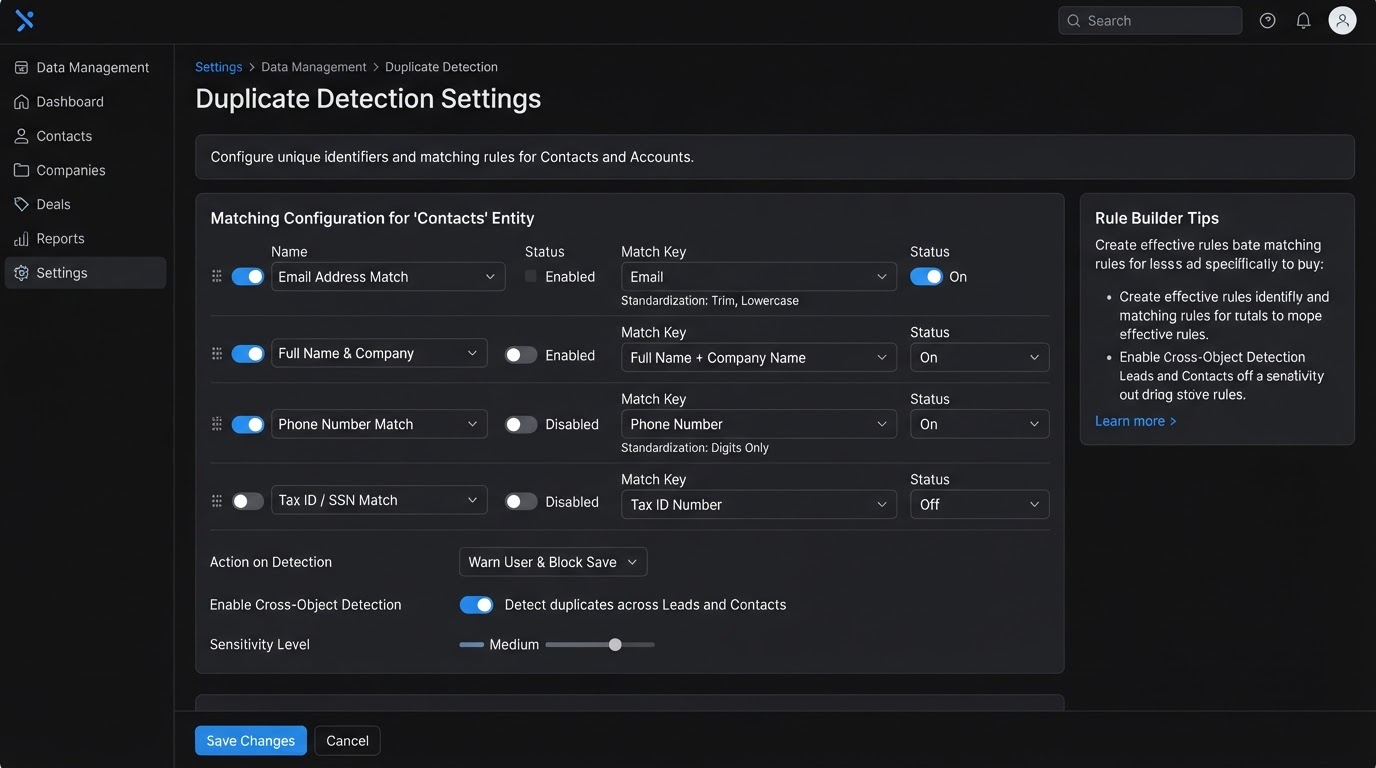
Pick one field, in writing, before you connect anything. Every platform already has a default answer and the defaults do not match each other, which is where duplicates come from.
Here is what the major platforms actually use, checked against current documentation:
| Platform | Automatic dedup key | The catch |
|---|---|---|
| HubSpot contacts | Applies to imports and form submissions | |
| HubSpot companies | Company domain name | Records created through the API are not deduplicated by domain |
| HubSpot deals, tickets, products | None | No automatic dedup at all, only Record ID or a custom unique property |
| GoHighLevel contacts | Email or phone | Behavior depends on the location's Duplicate detection setting |
| Most email platforms | Email, lowercase | Case and whitespace handling varies |
Read the HubSpot row again. Companies pushed in through an API bypass domain deduplication entirely, which is documented in HubSpot's own deduplication knowledge base article. If your integration writes companies through the API, and most connectors do, you need a custom unique property or you will accumulate one company record per deal.
Phone number as a dedup key is the one that catches Philippine and Australian businesses hardest. A number stored as 09171234567 in the CRM and +639171234567 in the ad platform is two different strings, so it is two different people. Normalize to E.164 format, the international standard that puts everything in +[country code][number] form, on the way in. Do it at the form, not at the sync, because fixing it at the sync means the bad version already exists somewhere.
The practical rule we use on builds: email is the identifier, phone is a match assist, and everything else is decoration. If a business genuinely operates without email, usually a walk-in service business, then phone becomes the identifier and it gets normalized ruthlessly. What does not work is letting each system decide for itself.
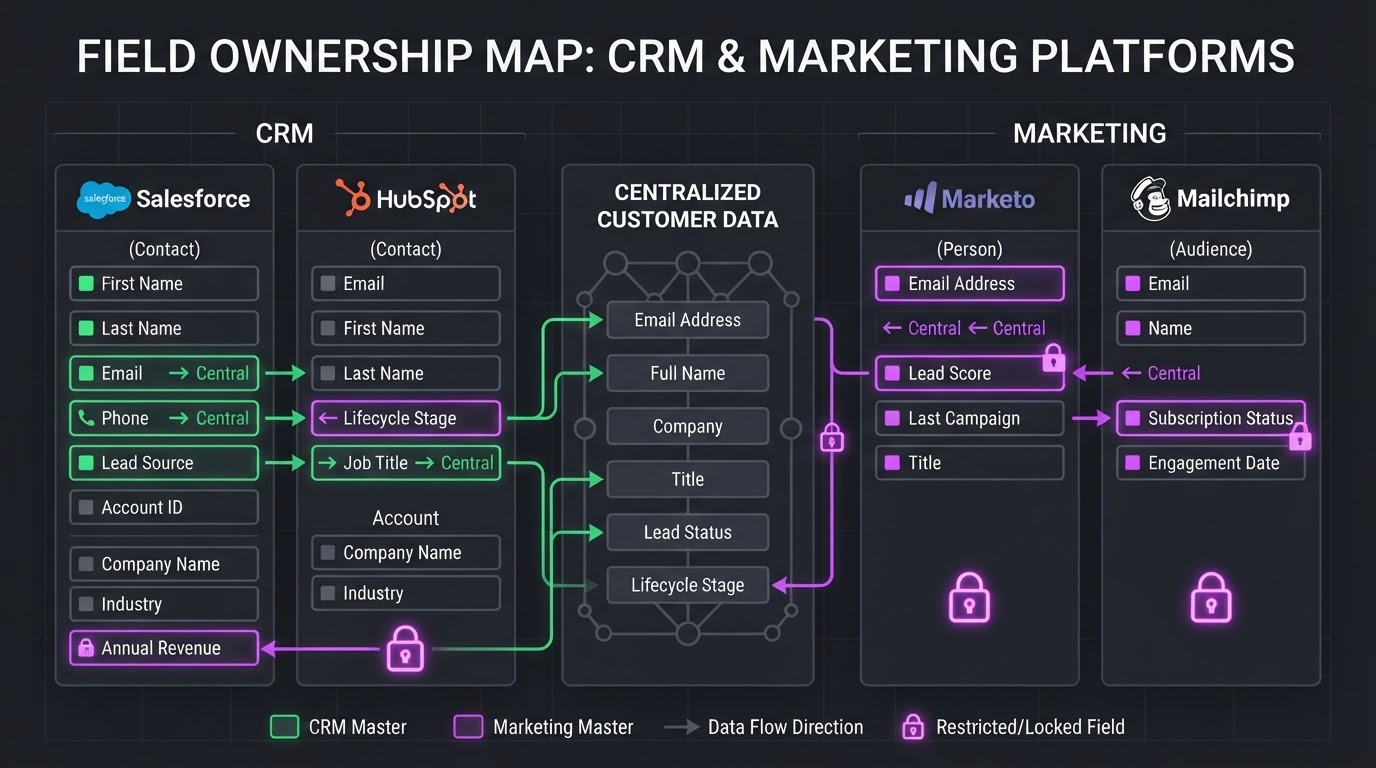
Every field gets exactly one owner, and the owner is the only system allowed to write to it. Everything else reads. This single rule prevents most of the damage that integrations cause, and almost nobody writes it down.
Two-way sync sounds like the generous option. It is the one that ate the lead source data in the story above. When two systems can both write to a field, the last write wins, and "last" is decided by sync timing you do not control. A Zoho community thread from a user whose Mailchimp integration overwrote first name, last name, and lead source is the standard version of this story, and there are hundreds like it across every vendor's forum.
Build the table before you build the sync. This is the one we start from:
| Field | Owner | Direction | Why |
|---|---|---|---|
| CRM | CRM to marketing | The identifier. One writer, always | |
| First name, last name | CRM | CRM to marketing | Sales corrects these, marketing collects typos |
| Phone | CRM | CRM to marketing | Normalized once, at intake |
| Lead source, campaign, GCLID | Marketing or the form | Write once, then locked | Attribution is worthless if it can be rewritten |
| Email engagement, opens, clicks | Marketing platform | Marketing to CRM | The CRM has no way to know these |
| Lifecycle stage, deal stage | CRM | CRM to marketing | Sales owns pipeline truth |
| Consent and subscription status | Marketing platform | Marketing to CRM | Unsubscribes must be authoritative and immediate |
| Revenue, contract value | CRM | CRM to marketing | Feeds ad platform value bidding |
Notice that only two rows flow from marketing back into the CRM. That is deliberate. Marketing platforms collect data at volume and with low confidence, CRMs collect it at low volume with high confidence, and a genuine bidirectional sync on a high confidence field is almost always a mistake.
Lead source deserves its own sentence. Write it once, at first touch, then lock it. Add a separate "last touch source" field if you want the recent version. Overwriting the original is how a business ends up believing that all its leads come from direct traffic.
If your CRM has accumulated years of contradictory field data already, the sync is not the first job. Cleaning the CRM and agreeing on pipeline hygiene is, because an integration built on top of unreliable fields just distributes the unreliability faster.
Trigger on events, not on states, and check what your platform counts as an event before you rely on it.
The distinction matters more than it sounds. A state is "this contact has the tag Consultation Requested." An event is "this contact was just given the tag Consultation Requested." State-based triggers re-fire on every sync pass and send the same welcome email four times. Event-based triggers fire once, at the moment.
Then there are the exceptions in the documentation that people find the hard way. GoHighLevel's Contact Created trigger, for one, does not fire on bulk imports. If a duplicate is detected and merged into an existing record, the workflow does not run again either. Both behaviors are correct and both surprise people who migrate 2,000 contacts in and wonder why the nurture sequence stayed silent.
Three trigger habits that have saved us on client builds:
Something we still get wrong more often than I would like: assuming a webhook that returns 200 means the receiving system processed the record. It means the receiving system accepted the request. Those are different, and the gap between them is where records vanish. Log both ends.
This is the half of CRM marketing integration that pays for the other half, and the standard advice on it went out of date on 15 June 2026.
The idea is a closed loop. Your ads produce leads, your CRM knows which of those leads actually became revenue, and you send that outcome back so the ad platform can optimize toward the leads that close instead of the leads that merely arrive. Without it, you are asking Google's bidding algorithm to find you more customers while only telling it about form fills.
Two things changed on the same date.
Google moved offline conversion imports out of the Google Ads API. Uploads through UploadClickConversions are being retired in favor of the Data Manager API, and as Search Engine Land reported, accounts that had not used the functionality in the previous 180 days were blocked from starting new imports from 15 June 2026. If you built a CRM-to-Google-Ads upload before that and it went quiet, check whether it is still delivering rather than assuming silence means zero conversions.
Consent mode consolidated. From the same date, ad_storage became the sole signal determining whether advertising data reaches Google Ads, replacing the previous arrangement where both Google Signals and ad_storage had to permit it, per OneTrust's summary of the change. For EEA, UK, and Swiss traffic, ad_storage must default to denied and flip to granted only on an active accept.
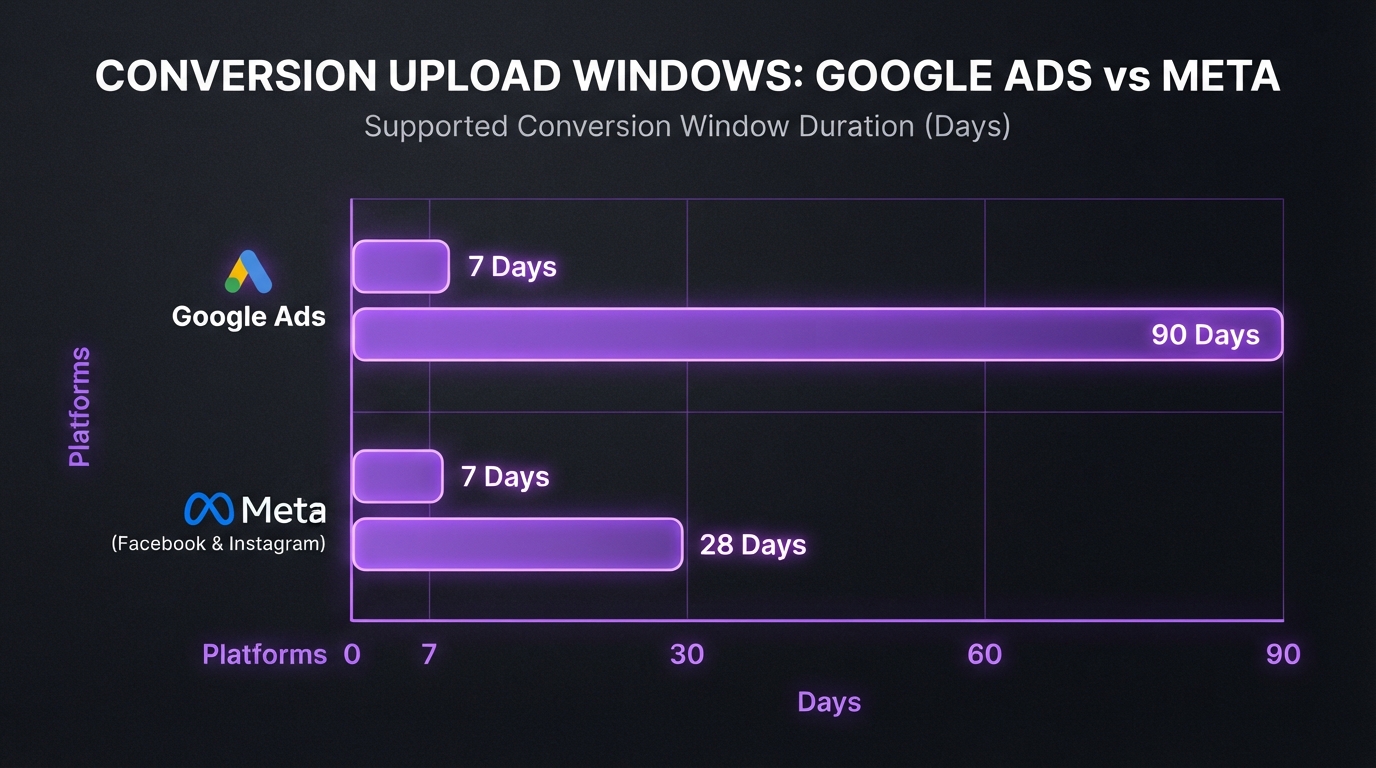
The windows you are working inside, from Google's offline conversion import FAQs and Meta's Conversions API documentation for offline events:
| Platform | Constraint | Value |
|---|---|---|
| Google Ads | Max age of a conversion uploaded with GCLID | 90 days from click |
| Google Ads | Max age using hashed customer data (enhanced conversions) | 63 days |
| Google Ads | Processing delay before a click accepts a conversion | Up to 6 hours |
| Meta | Max age of event_time when sending an event | 7 days |
| Meta | Upload window for physical_store action source events | 62 days |
| Meta | Maximum deduplication window | 7 days |
That 63-day number is the one that quietly breaks B2B setups. If your average sales cycle runs longer than nine weeks and you are matching on hashed email rather than GCLID, the conversion is expired before the deal closes. Store the GCLID at form submission into a locked CRM field and you get 90 days instead. It is a five-minute change to a form and it is the highest-value single field in this entire post.
Both platforms require SHA-256 hashing of customer data before it leaves your systems. Google's enhanced conversions for leads documentation covers the matching requirements, and Meta's list of hashed parameters is in the link above. Hash on your side. Never send raw email addresses to an ad platform.
Upload daily. Google's guidance is that a consistent schedule matters for Smart Bidding, and daily beats weekly. Once the loop runs, a single reporting view that puts spend, leads, and closed revenue on one screen is what turns the integration from a plumbing project into something anyone in the business can act on.
If you are trying to connect your CRM, follow-up, and ad reporting into one system and it keeps breaking at the handoff, book a strategy call. We will map what you have now and where it is leaking.
Run these five checks on a sandbox or a small segment first. Every one of them has caught something real on a client build.
Any check that fails is a configuration problem you can still fix cheaply. After launch, the same problem costs a cleanup project.
If your CRM data is already unreliable, integration is the wrong next move. Syncing bad data into a second system produces two unreliable systems and a support ticket. Clean first, integrate second.
The other case is scale. Under roughly 500 contacts with one person handling follow-up, a well-built form and a shared inbox will outperform a half-configured integration, and it costs nothing. Integration pays when the volume exceeds what a person can hold in their head, or when more than one person needs the same view of the same customer. Below that line, automating the repetitive parts one step at a time is the better sequence.
We have built these on GoHighLevel, HubSpot, and Zoho stacks across service businesses, ecommerce, and accounting firms, and the failure is nearly always one of the four decisions rather than the tooling. If you have run into a fifth category of failure we have not covered, we want to hear it. Especially the field-level ones, because those are the hardest to spot and the most expensive to reverse.
CRM marketing integration is the arrangement where your CRM and marketing tools share one definition of a contact, agree which system owns each field, and pass events in a defined direction. It requires four decisions: the unique identifier, field ownership, what fires automation, and what conversion data flows back to ad platforms. The connector itself is the smallest part.
Because the two systems are using different unique identifiers. HubSpot deduplicates contacts by email and companies by domain, though companies created through the API skip domain deduplication entirely. GoHighLevel matches on email or phone depending on settings. Phone formatting differences, such as 09171234567 versus +639171234567, count as two separate people. Pick one identifier and normalize it at intake.
It can, and two-way sync is usually why. When both systems are allowed to write to the same field, the last write wins and sync timing decides which one that is. Set lead source once at first touch and lock the field. If you want recent attribution, add a separate last-touch field instead of overwriting the original.
Upload closed deals as offline conversions matched by GCLID or hashed customer data. Store the GCLID in a locked CRM field at form submission, since GCLID-matched conversions can be uploaded up to 90 days after the click while hashed customer data only allows 63 days. From 15 June 2026 these uploads moved to Google's Data Manager API rather than the Google Ads API.
The technical connection usually takes hours. The field mapping, deduplication rules, and testing take days to weeks depending on how much existing data needs cleaning first. Most of the timeline is data quality work, not connector work. Businesses that skip the field ownership table finish faster and spend the saved time on a cleanup project later.

Written by
Benison David Sanchez is the CEO and AI Digital Marketing Strategist of BDGS Digital, a technology, CRM, automation, and growth company based in the Philippines and serving clients globally. He leads digital marketing and client acquisition for the company, and over five years has worked with more than 100 businesses across ecommerce, service, coaching, accounting, and technology, building connected growth systems where every campaign ties back to a larger system rather than running in isolation. He writes about what those builds actually look like, including the field mappings that went wrong.
View all articles by BenisonWant help building this?
BDGS Digital builds connected growth systems across CRM, automation, marketing, and technology. Explore our services or book a strategy call.
Book a Strategy CallLET'S TALK
Book a strategy call and we'll map how your CRM, automation, marketing, and technology can work together as one connected system.