On June 15, 2026, the Google Ads API stopped accepting new adopters of offline conversion imports. Google’s developer blog announced it in May: new integrations now go through the Data Manager API, and anyone who had not imported that way recently gets an error called CUSTOMER_NOT_ALLOWLISTED_FOR_THIS_FEATURE.
Most small business owners will never see that error. Their agency or CRM connector will. But the change is a good excuse to fix the thing it touches, which in most lead generation accounts we audit is still broken: Google is bidding on form fills, and nobody has told it which form fills became customers.
Why does Google Ads show more conversions than my CRM?
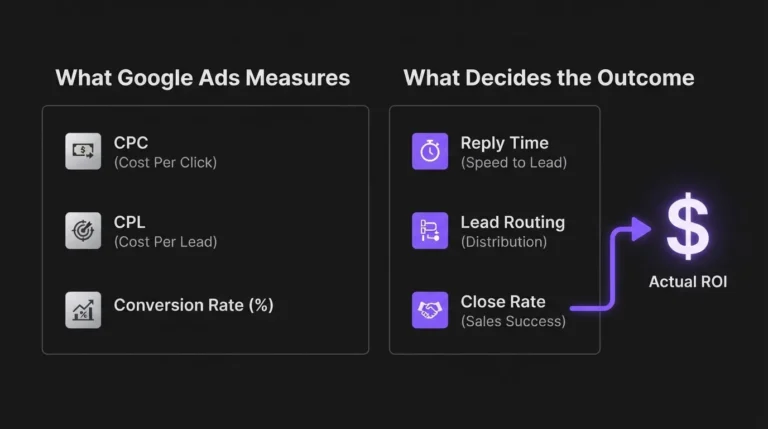
Because the two systems count different things. Google Ads counts whatever you told it was a conversion, usually a form submission or a click on the phone number. Your CRM counts people. Spam, duplicate submissions, wrong-number calls, and just checking your price inquiries all count in Google and get filtered out, eventually, by a human in your pipeline.
Google has started saying this out loud. Its new help page on preventing invalid leads says its invalid traffic filters cannot stop fake leads on their own, and recommends lead-specific goals such as Qualified Lead and Converted Lead instead of raw submissions.
When Smart Bidding optimizes for form fills, it gets very good at finding people who fill forms. Some of them are your customers. Many are not.
What is offline conversion tracking in Google Ads?
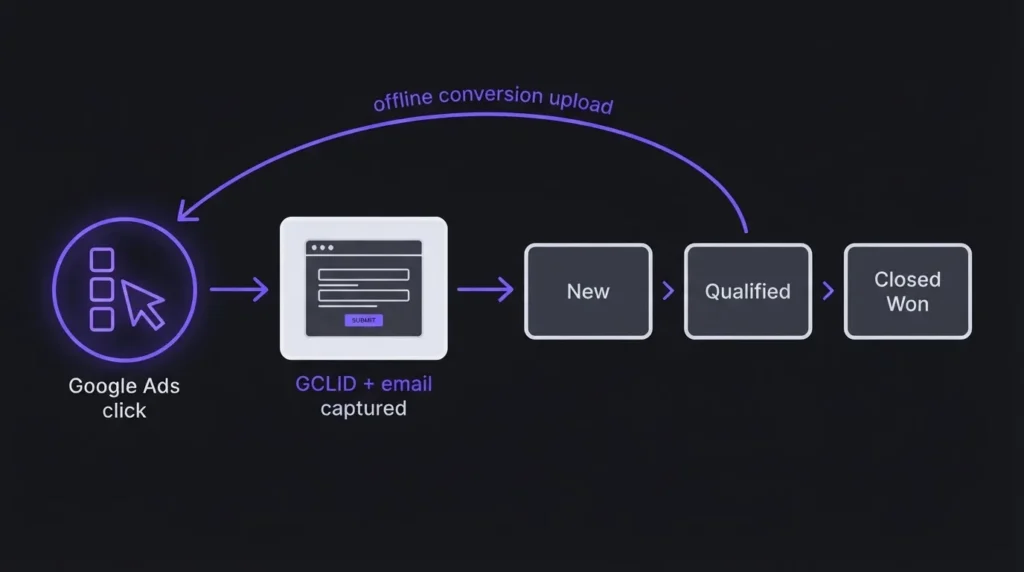
It is the process of sending events that happen after the click (a qualified call, a booked appointment, a signed contract) back into Google Ads, matched to the ad click that started it. Google then counts and, if you choose, bids on those events instead of the form fill.
There are two matching methods, and the difference matters for how you build your forms.
Click ID import (GCLID)
With auto-tagging on, Google adds a click ID to your landing page URL. Your form captures it in a hidden field, your CRM stores it on the contact, and later you upload “this GCLID became a qualified lead at this time.” Google’s GCLID setup guide spells out the hidden field and notes the GCLID is case-sensitive.
Enhanced conversions for leads
Instead of relying only on the click ID, you send hashed email or phone numbers, and Google matches them to people who engaged with your ads. Google’s help page on enhanced conversions for leads calls it an upgraded version of offline conversion import, and says the click ID is recommended but not strictly required if your website tag collects the user-provided data on the form.
If you are setting this up fresh, use enhanced conversions for leads. It survives the things that routinely kill GCLID matching, which we will get to.
What changed in 2026
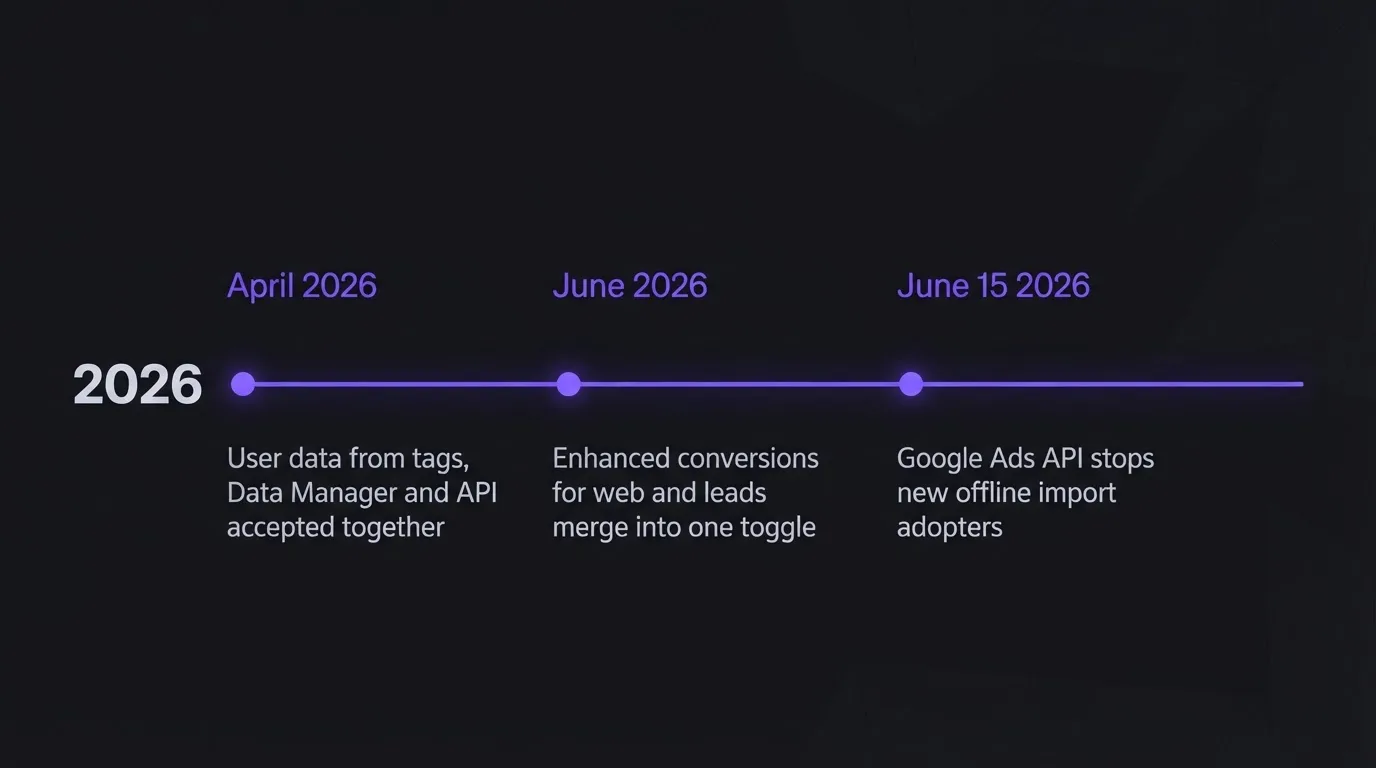
Three changes, all from Google’s own pages:
| Change | When | What it means for you |
|---|---|---|
| Google Ads API stops accepting new offline import adopters (developer blog) | From June 15, 2026 | New custom integrations must use the Data Manager API. Existing ones can keep running while they migrate. |
| Enhanced conversions for web and for leads merge into one on/off setting (Google Ads Help) | From June 2026 | One toggle instead of two. Accounts that already accepted the customer data terms were migrated automatically. |
| Google Ads accepts user data from website tags, Data Manager, and API at the same time (same page) | From April 2026 | You can combine the tag on your form with CRM uploads rather than choosing one. |
If your CRM connects through a native integration or a tool like Zapier, the plumbing change is mostly the vendor’s job. What stays your job is deciding what to send and making sure the data is there to send. The detail on the merged toggle and combined sources comes from the same Google Ads Help page.
How to set it up without the usual mistakes
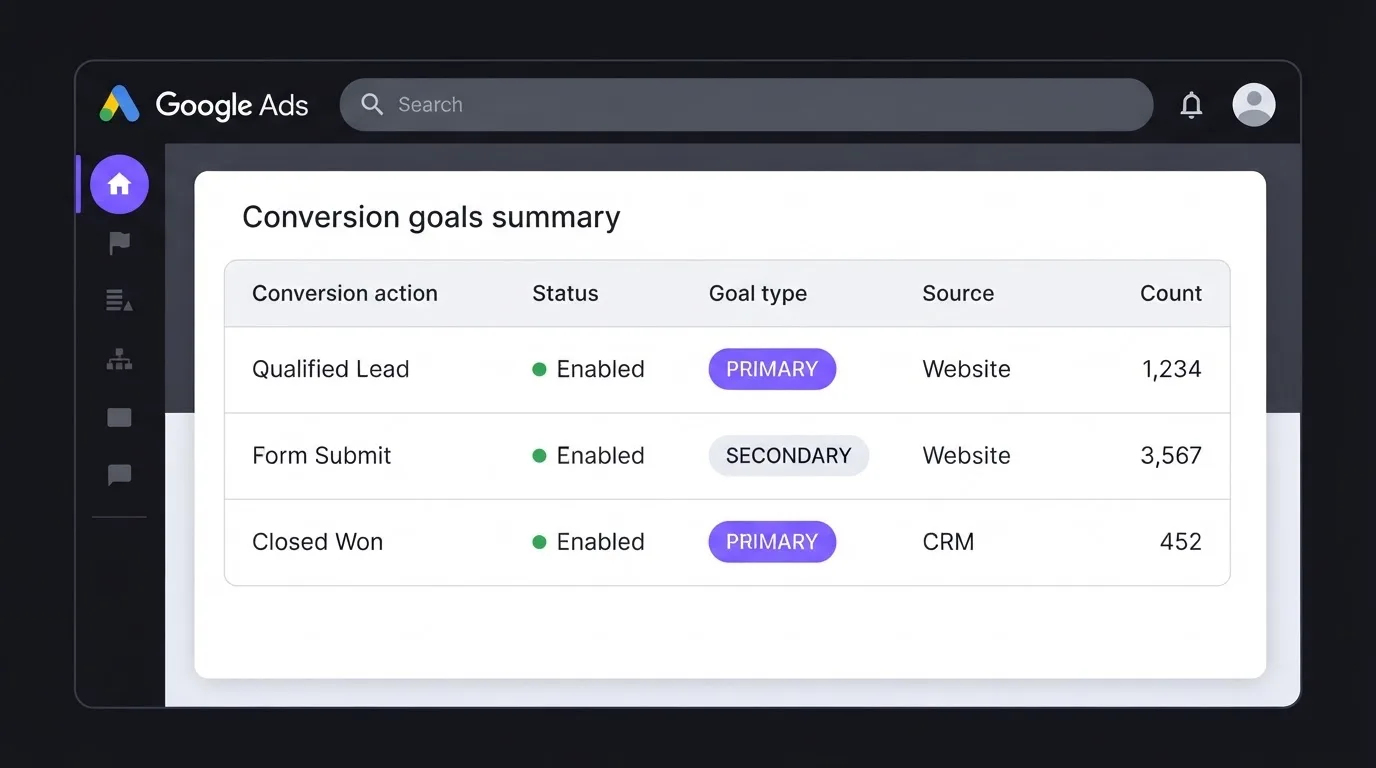
Here is the order we build it in for service businesses:
- Turn on auto-tagging and the Google tag with enhanced conversions on the form page, so both the click ID and hashed contact details are available.
- Capture the GCLID in a hidden field and store it on the CRM contact. Even with enhanced conversions, a stored click ID makes matching more reliable.
- Create a new conversion action for each pipeline stage you care about, typically Qualified Lead and Closed Won. Then wait. Google’s GCLID guide says to hold uploads for 4 to 6 hours after creating a new conversion action, or those conversions can take 2 days to appear.
- Connect the upload. Google Ads Data Manager has direct connectors, including HubSpot and Salesforce, plus file sources such as Google Sheets and SFTP. Note the lookback on first run: for Salesforce and HubSpot it imports only the last 14 days of data in the first successful run, while file sources re-read 90 days every run.
- Set primary and secondary correctly. Google’s page on primary and secondary conversion actions is blunt: primary actions are used for bidding and appear in the Conversions column; secondary actions are observation only and appear in All conversions.
- Check the result in “All conv. (by conv. time)”. Google’s import guidelines recommend that column for validating imports, and say imported statistics take about 3 hours to show.
Where it breaks
The deadlines catch people first. Google will not import a standard offline conversion uploaded more than 90 days after the last click, and for enhanced conversions for leads the limit is 63 days, per the same import guidelines. If your sales cycle runs four months, “Closed Won” will quietly never land. Import an earlier stage.
The GCLID gets lost more often than anyone expects. Form tools that submit through an embedded iframe, redirects that strip URL parameters, and a sales rep who re-creates a contact by hand instead of using the one the form made. Each of those leaves a contact with no click ID and no error message. This is the main reason we default to enhanced conversions for leads now: a hashed email survives all three.
Then there is double counting. We still find accounts with the form fill, the thank-you page view, and the imported Qualified Lead all set as primary. Google bids on the sum. One real lead becomes three conversions, and the cost per conversion report looks wonderful while the pipeline stays empty.
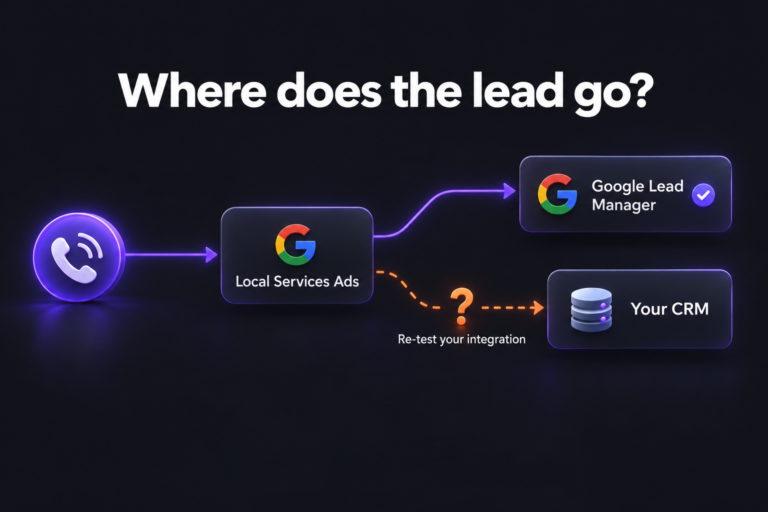
And the most human failure: nobody moves the pipeline stage. Offline conversion tracking is only as good as the CRM hygiene behind it. If qualifying happens in someone’s head and never in the CRM, there is nothing to import. We usually fix the pipeline and the lead routing before we touch the Google side at all.
Should you bid on qualified leads or form fills?
Our opinion, and good PPC people disagree on it: once an account has a steady flow of qualified leads, make Qualified Lead the primary conversion and demote the raw form fill to secondary. Bidding on a signal that is two steps closer to revenue beats bidding on a larger, noisier signal, even if the reported conversion count drops sharply.
The counterargument is fair. With too few qualified leads, Smart Bidding has little to learn from, and a small account can stall. In that case keep the form fill primary for now, import Qualified Lead as secondary, and watch the ratio between them by campaign. That ratio alone will tell you which campaigns are buying junk. It is also the honest version of the cost per lead math from our Google Ads review, where the CPL that matters is the one your sales team would sign off on.
If you want this wired end to end, our Google Ads management work treats the CRM connection as part of the campaign build, not an extra.
Frequently asked questions
Capture the click ID (GCLID) and the lead’s email or phone on your form, store both in your CRM, create a conversion action for each pipeline stage you care about, and upload stage changes through Google Ads Data Manager, a native CRM connector, or a tool like Zapier. Enhanced conversions for leads uses hashed contact details and is the more reliable option for new setups.
Standard offline conversion import matches uploaded conversions to the Google click ID stored with each lead. Enhanced conversions for leads also uses hashed email addresses or phone numbers, so a conversion can still match when the click ID was lost. Google describes enhanced conversions for leads as the upgraded version of offline import.
Google’s import guidelines say standard offline conversions uploaded more than 90 days after the last ad click will not be imported, and enhanced conversions for leads uploaded more than 63 days after the last click will not be imported. If your sales cycle is longer, import an earlier pipeline stage such as a qualified lead.
Primary conversion actions are used for bidding and reported in the Conversions column; secondary actions are for observation and appear in All conversions. Make your most valuable stage that still happens often enough primary, and avoid setting the form fill and the imported stage both as primary, which double counts one lead.
Over to you
If Google Ads says one thing and your pipeline says another, book a strategy call. We will trace one lead from click to CRM stage and show you where the signal drops.