GoHighLevel’s Conversation AI setup form is friendly enough that you can have a bot answering leads in ten minutes. Whether it is still answering three weeks later depends on decisions the form does not explain while you are making them.
The most common complaint we hear is “the bot just stopped replying.” In almost every case nothing is broken. A setting is doing exactly what it was told to do, and nobody noticed the moment it kicked in.
What Conversation AI actually is
Conversation AI is HighLevel’s built-in chatbot layer, not a separate product. It reads and writes inside the same conversation thread as your SMS, web chat, Facebook, Instagram, and WhatsApp inboxes, and it uses the contact record and custom fields already in your sub-account. That is its real advantage over a standalone chatbot: it already knows who it is talking to.
It has two build modes. The Guided Form setup walks you through a bot type, a brand voice, the channels it answers on, and the information it should collect. The prompt-based setup gives you a blank instructions field where you write the bot’s role yourself.
Guided Form or prompt-based: decide by what the bot has to refuse
Our rule of thumb: if the bot only needs to answer a narrow set of questions and book or reschedule appointments, start with the Guided Form. It has an Appointment Booking bot type with its own toggles for canceling and rescheduling, and it ships with sensible defaults you would otherwise write by hand.
Use the prompt-based build when the bot has to handle refusals well. A bot trained only on happy-path questions will improvise when a lead asks something outside its brief, and improvising is exactly what you do not want from something speaking for your business. The prompt field lets you write explicit do and don’t rules. The Guided Form gives you one “Additional Instructions” box for the same job, which works for a narrow bot and gets cramped for a broad one.
The four settings that decide whether it works
Skip the parts every tutorial covers. These are the four choices that matter in production.
Brand voice first. The form asks for a Brand Voice before you can continue, and it is tempting to click through a generic one. Don’t. Every reply uses it, and a voice that does not sound like your business is the fastest way for a lead to feel they are talking to a script.
The initial message is a commitment. Whatever greeting you set fires on every new conversation on every enabled channel unless you build channel-specific bots. Write it for someone on Instagram and someone on SMS in the same afternoon.
Response delay is a trust setting. HighLevel lets you delay the bot’s reply, and its own guidance suggests a few seconds to mimic a person reading. An instant reply reads as automated even when it is accurate.
Skip if Already Filled. Under Information Collection, this toggle stops the bot from asking for a name or phone number the contact record already has. Leave it off and returning customers get asked who they are by a business that supposedly knows them.
Where it actually breaks
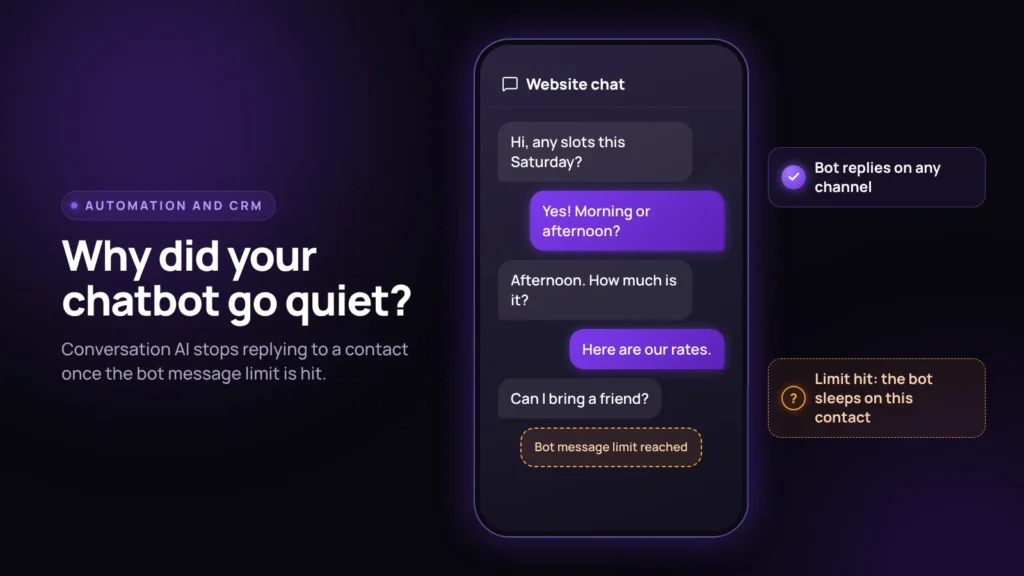
The message limit. This is the one behind most “the bot stopped working” reports. According to HighLevel’s advanced settings overview, the Maximum Messages setting runs from 1 to 100 per bot, defaults to 100, and applies to every channel the bot is enabled on. You cannot give SMS a longer leash than Instagram. When the bot sends its last allowed message, it goes to sleep on that contact until someone reactivates it manually or through a workflow. From the customer’s side, that looks exactly like being ignored. If different channels need different limits, that is not a setting. That is a second bot.
Two bots on one channel. The second bot is where routing comes in. HighLevel’s channel and routing guide prevents two bots from sharing the same channel, connected destination, and tag setup, and it blocks the duplicate when you try to save. That is helpful, but it means you have to plan the split before you build. The pattern HighLevel itself shows is tag-based: one bot for contacts tagged regular-customer and another for premium-customer, both on the same chat widget.
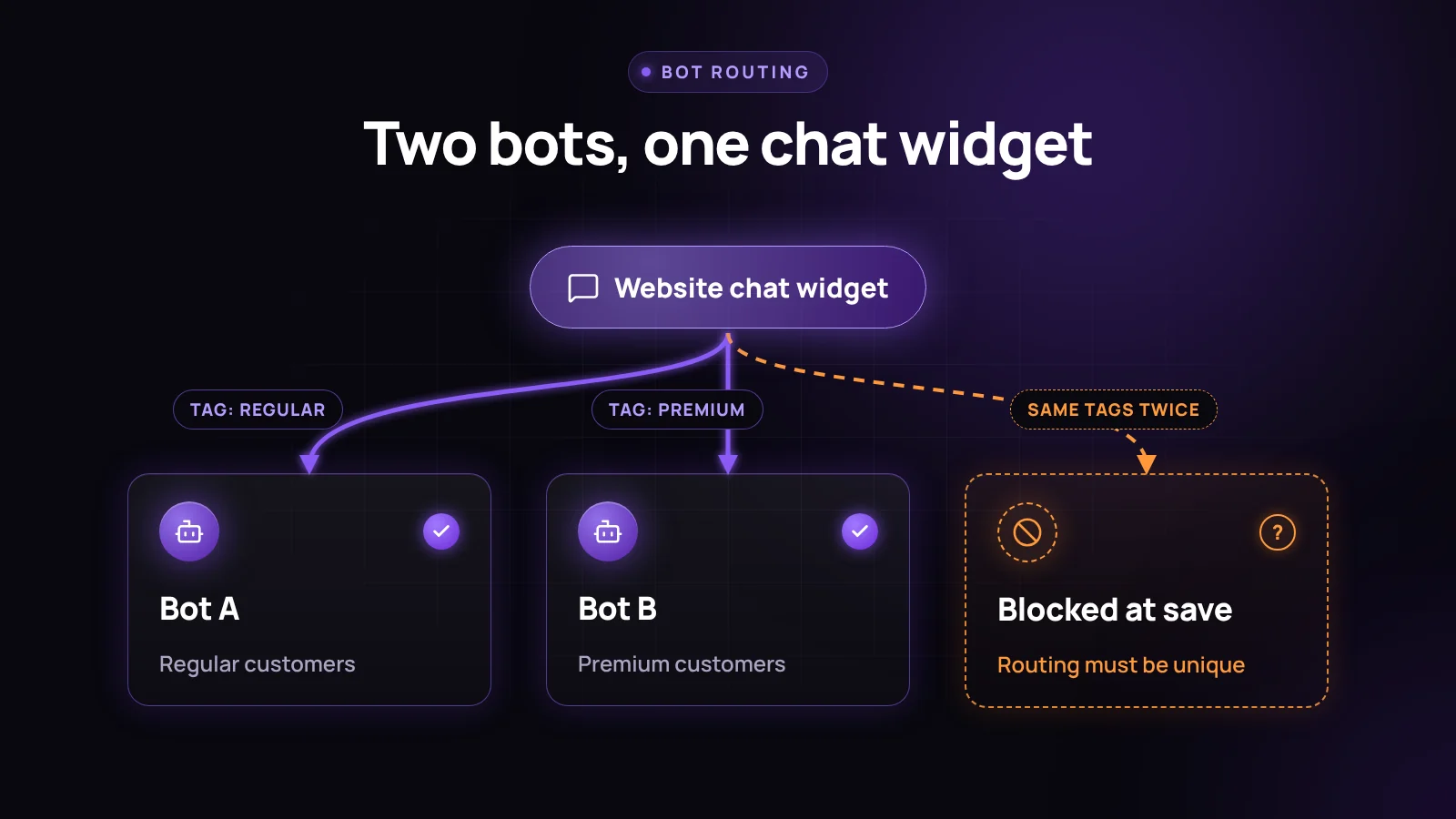
If your contacts are not tagged consistently, you cannot cleanly run a second bot, so fix tagging first.
Escalation, fallback, and the disclosure gap
The advanced settings give you real safety rails: a fallback message when the bot cannot answer confidently, content filters to keep it off sensitive topics, and auto-escalation to a human when limits are hit or frustration shows up. Configure all three before launch, not after the first bad reply.
What the chat-side setup does not cover is disclosure. HighLevel built an AI disclaimer with Concise, Standard, and Conversational styles, but it lives on the outbound Voice AI calling side, not here. We covered that gap in our piece on AI voice agent disclosure law. Our practice is simple: say it in the initial message. “Hi, I’m the AI assistant for [Business Name]” costs one line, and a lead who was going to book anyway does not walk away because the greeting was honest.
How to check it is working
Run three checks before the bot gets live traffic:
- Send a test message on every enabled channel separately, not just the one you built it on.
- Ask something slightly outside its brief on purpose and confirm the fallback message fires instead of an improvised answer.
- Open the contact record afterward and confirm the fields from Information Collection actually populated. A bot that chatted well but wrote nothing to the CRM has not automated anything.
Start new bots in Suggestive mode, where the bot drafts replies for a person to approve, and move to Auto-Pilot only after you have watched enough real conversations to know where it stalls.
Frequently asked questions
How do I set up Conversation AI in GoHighLevel?
Use the Guided Form setup: choose a bot type, pick or create a Brand Voice, select the channels it answers on, write the initial message, and choose which contact fields it should collect. For bots that must handle questions outside a narrow script, use the prompt-based setup so you can write explicit rules.
Why did my GoHighLevel chatbot stop replying?
The most common reason is the Maximum Messages limit. It runs from 1 to 100 per bot and applies across all of the bot’s channels. Once the bot sends its last allowed message to a contact, it goes to sleep on that contact until it is reactivated manually or by a workflow.
Can I run two Conversation AI bots on the same channel?
Yes, if they are separated by tags or destinations. HighLevel prevents two bots from sharing the same channel, destination, and tag setup and blocks the duplicate at save. Tag contacts first, for example regular-customer and premium-customer, so each bot has its own lane.
Does GoHighLevel’s Conversation AI disclose that it is a bot?
Not automatically. HighLevel’s AI disclaimer feature is on the outbound Voice AI side. For chat bots, add a disclosure to the initial message yourself.
What is the difference between Suggestive mode and Auto-Pilot mode?
Suggestive mode drafts replies for a team member to review and send. Auto-Pilot sends replies automatically with no review step. Start in Suggestive mode and switch once you trust the fallback and escalation settings.
What to do next
Conversation AI is one piece of an AI and automation layer, not a replacement for one. It works best with a narrow, well-scoped job and a tagging structure that can survive a second bot later. If the bot hands leads to people, our GoHighLevel lead routing workflow covers the human side of that handoff, and we break down what AI agents cost on GoHighLevel and HubSpot if you are budgeting for it.
Want a second pair of eyes on a bot that keeps going quiet? Our CRM and GoHighLevel team can check your settings. Book a discovery call.