HighLevel’s public feedback board has a speed complaint open since June 28, 2023, and it still shows under review when we check it on October 7, 2026. If your team waits on contact records and pipeline screens, compressing a funnel’s hero image is addressing a different problem.
We run client sub-accounts through GoHighLevel every day, including US and Australian accounts managed from Manila. The wait is familiar: a contact record loading while a client is on the phone at 9pm. But familiarity does not tell us which layer is responsible. A slow public website, a browser conflict, and a platform response delay need different checks.
The feedback board records symptoms. Support documentation gives troubleshooting paths. Release notes document shipped work. Reading them together avoids treating a complaint as a diagnosis or an announcement as a universal fix.
The two kinds of slow, and why they keep getting mixed up
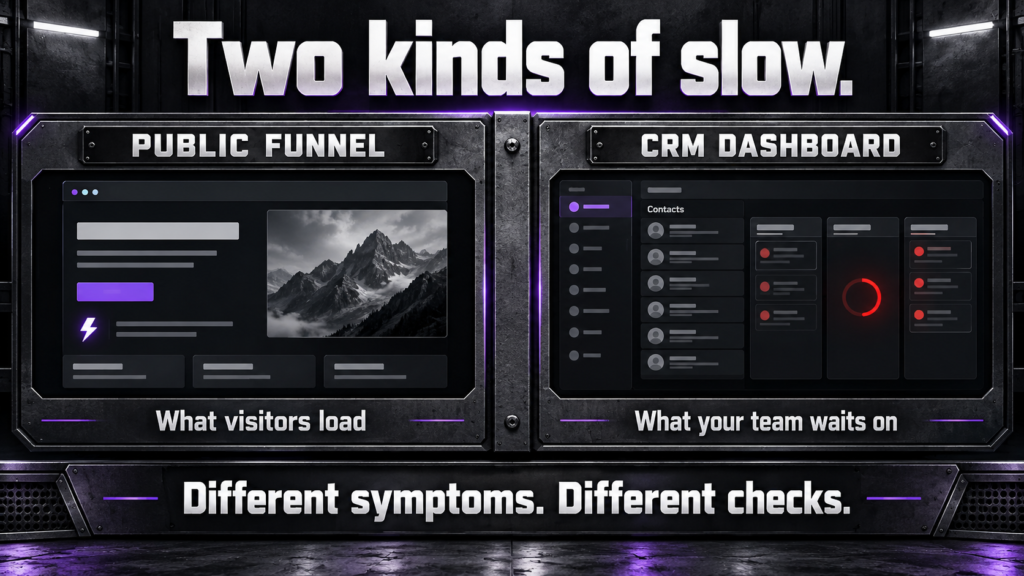
A public funnel loads for a visitor. The CRM app loads for your signed-in team. Those are separate experiences, even when both carry the HighLevel name.
For the public page, HighLevel’s page-speed guide, updated September 25, 2026, recommends resizing images, limiting heavy media and scripts, simplifying layouts, and testing desktop and mobile performance. That is the right starting point when a prospective customer waits for your landing page.
It is the wrong measurement for a contact record that will not open. A good score on the published page does not benchmark Contacts, Opportunities, or the workflow builder. Likewise, a slow internal screen does not establish that visitors experience the same delay. Write down which screen is slow before changing anything.
Think of the distinction operationally. A visitor cannot submit a form until the page is usable. A salesperson cannot inspect the latest conversation until the CRM screen is usable. Both can interrupt a lead’s journey, but improving one does not demonstrate that the other improved. We test the handoff separately in our form lead routing workflow.
What HighLevel’s own feedback board actually shows
Three public threads document recurring user reports of app lag. The vote counts below are a snapshot checked October 7, 2026, rather than a measured failure rate.
| Public thread | Filed | Votes | What it establishes |
|---|---|---|---|
| Overall Speed/Performance Updates | June 28, 2023 | 655 | Long-running request, marked under review |
| Why so slow!? | January 24, 2024 | 171 | Reports about ordinary CRM navigation |
| Platform Frequently Freezes and Loads Extremely Slowly | September 11, 2025 | 6 | Report of repeated freezing across the app |
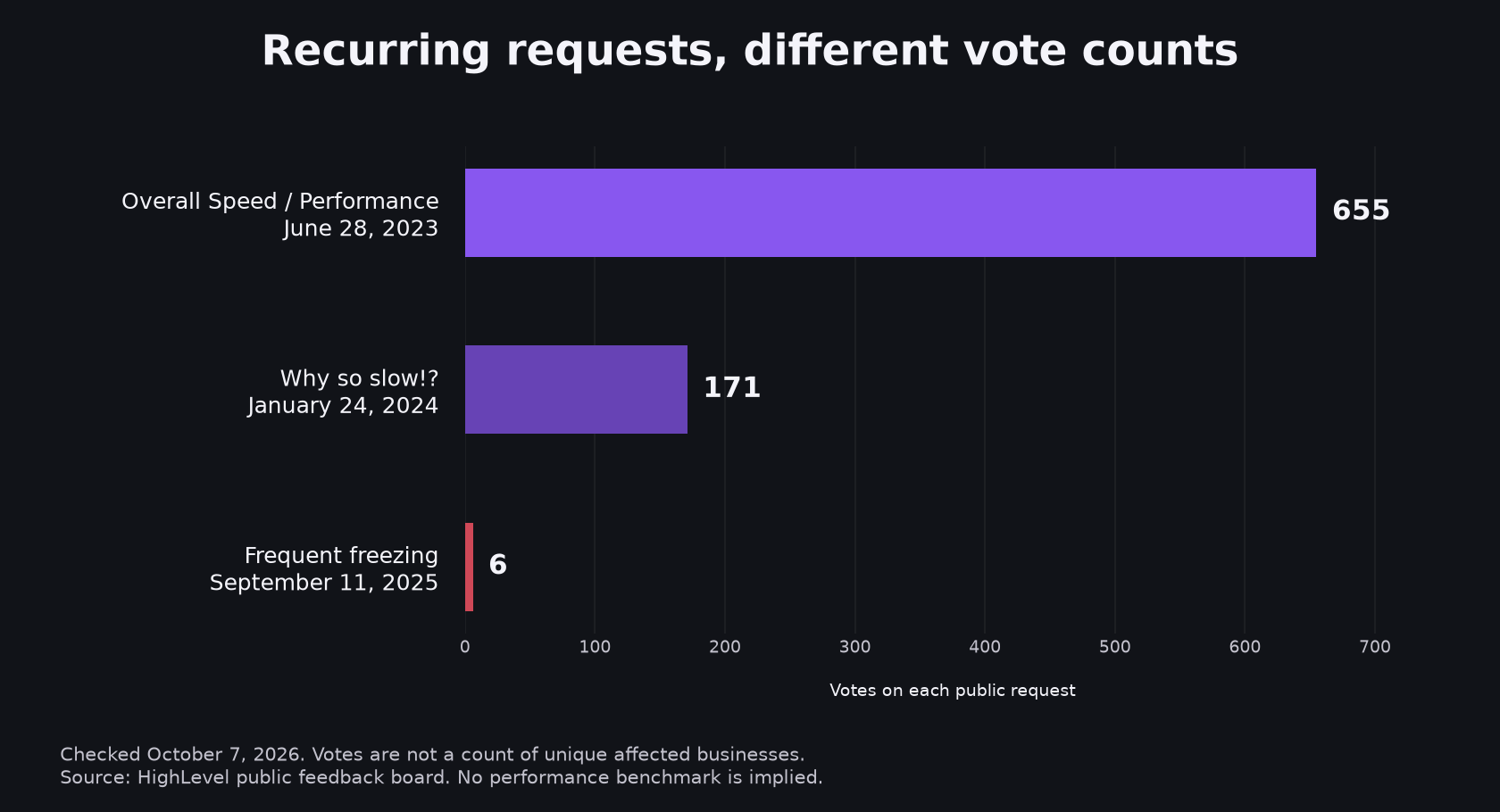
The first thread includes September 2026 comments, so this is more than an abandoned historical request. The second contains accounts of navigation delays and merged performance complaints. The third describes an affected user’s experience across multiple screens.
These are self-selected reports. They do not identify a universal cause, prove that every account is slow, or tell us how many distinct users experienced an incident. Adding votes across threads would not produce a count of affected businesses. The evidence supports taking complaints seriously and reproducing them, rather than diagnosing the infrastructure from a comment.
What HighLevel has actually said it improved
HighLevel does document performance work. Its Dashboard and Custom Report Performance Optimisation changelog describes shipped backend changes that remove redundant requests and run some calls in parallel. We checked the announcement on October 7, 2026.
The stated scope is dashboards and custom reports, including their navigation and builders. It does not establish that every contact-record delay or automation canvas problem is fixed. We have not independently benchmarked the update. The announcement is evidence of documented work, while the improvement on your account remains something to test.
The documented work gives us a specific change to evaluate. We should not convert a scoped update into a promise about the entire CRM. Ask support whether the affected module and your reproduction steps relate to that release.
Which checks can you run on your side?
Start with a controlled browser comparison. HighLevel’s slow-data troubleshooting guidance recommends an incognito check, cache troubleshooting, extension isolation, another browser, and an error screenshot for support. The support document is older, last modified February 25, 2022, so use it as a troubleshooting sequence rather than a guarantee.
Our practical test is to repeat the same action: open one contact, switch to one pipeline, then load the same workflow. Record the browser, device, local time and timezone, sub-account, affected screen, and time until it becomes usable. Repeat in a clean browser session. Change one condition at a time so an improvement tells you something.
We have seen browser extensions and complicated workflow canvases make the experience worse in the accounts we manage. Those observations are useful leads for investigation, not proof that every delay comes from extensions or branching logic. A clean session that remains slow is evidence to include in a ticket.
Account hygiene matters for maintaining the system, too. Review dormant workflows, duplicate tags, and fields nobody owns as part of keeping a CRM usable. Map dependencies before removing anything. Cleanup can make the account easier to operate, but we cannot promise that deleting tags fixes a server response delay.
HighLevel’s separate loading-state documentation also warns that custom CSS and JavaScript can interfere with the loader. If your agency customizes the app, test that layer deliberately. Do not assume a spinner identifies the root cause.
For workflow complaints, distinguish editing from execution. A sluggish canvas does not prove a follow-up failed. Check the test contact’s execution history and message timestamps as well as the time needed to open the builder. That distinction belongs in workflow automation maintenance, because the team’s editing experience and the lead’s actual outcome are different measurements.
Should this change whether you use GoHighLevel?
Occasional lag alone would not make us rebuild every client stack. We still use GoHighLevel, which is a bias readers should know. Persistent delays that block daily work deserve a different decision.
Measure the exact tasks that matter before comparing alternatives: opening a contact, reviewing a conversation, updating an opportunity, and editing the workflow your team uses most. Test from the devices and locations where people actually work. A fast demo with an empty account is a weak comparison for an established production setup.
The same applies to evaluating a fix. Repeat your original test after support’s recommendation. If the symptom remains, return the recording and timestamps rather than accepting a generic checklist as closure. A system earns its place by helping people finish the work; a long feature list cannot answer that question.
A connected growth system depends on the handoff staying usable, from public form to assigned owner to follow-up. If one screen becomes the bottleneck, document where the delay enters that path before moving the whole stack.
Frequently asked questions
Why does GoHighLevel feel slow?
First identify whether the problem affects a public funnel or the signed-in CRM. Public pages need page-speed checks; the app needs browser and module troubleshooting. User reports document CRM lag, but they do not prove your account’s cause. Repeat the affected action in a clean session and record the result before escalating.
Is a slow GoHighLevel funnel the same issue as a slow dashboard?
No. The funnel is a published page loaded by visitors, while the dashboard is part of the app used by your team. Optimizing page images and scripts addresses the public experience. Check internal screens separately, using the same contact, pipeline, or report action so your comparison stays meaningful.
Has GoHighLevel said it is fixing the slowness?
Yes, HighLevel documents shipped performance changes for dashboards and custom reports, including fewer redundant requests and some parallel loading. That scoped announcement does not prove every CRM module is fixed. Check the current release note, reproduce your own symptom, and ask support whether the update applies to the screen you use.
Should I switch CRMs because GoHighLevel is slow?
Base that decision on persistent delays in tasks your team needs to finish. Test browser conditions and get a reproducible support case first. If the problem still blocks work, compare alternatives using representative records and workflows, then weigh the improvement against migration effort, integrations, and the capabilities you would give up.
If you have a timed comparison or a support response that changed the diagnosis, we would like to hear what you tested. It is more useful than another universal claim about the platform being fast or slow.
If your CRM, follow-up, and reporting keep hitting friction you cannot explain, book a strategy call. We will look at your actual sub-account and map the checks that distinguish a local problem from one that needs the platform team.
Benison David Sanchez is the CEO and AI Digital Marketing Strategist of BDGS Digital, a technology, CRM, automation, and growth company based in the Philippines and serving clients globally. He leads digital marketing and client acquisition for the company, and over five years has worked with more than 100 businesses across ecommerce, service, coaching, accounting, and technology, building connected growth systems where every campaign ties back to a larger system rather than running in isolation. He writes about the handoffs, loading delays, and maintenance decisions behind those builds.
Connect on LinkedIn.