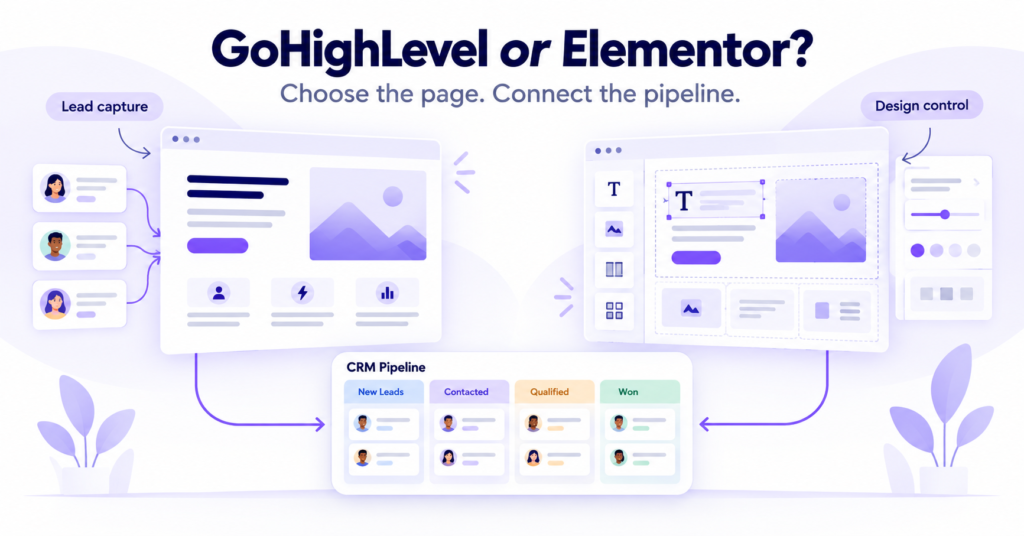
We build client websites inside GoHighLevel’s native builder most weeks, and we build them in WordPress with Elementor Pro most of the other weeks. It is the honest answer to whether GoHighLevel’s builder is good enough: for some businesses, yes, and for others, no. The split does not follow the marketing copy on either side. It follows the requirements of the page and the connection to the CRM.
One useful source of evidence is GoHighLevel’s own feature request board, where engaged users vote on what they want improved. We covered the platform’s overall case, CRM and automation included, in our previous GoHighLevel assessment. This piece stays on one narrower question: the website and funnel builder specifically.
BDGS builds on both GoHighLevel and WordPress with Elementor, so this comparison reflects our implementation perspective. For the CRM side of a website handoff, see how we route form leads in GoHighLevel.
What GoHighLevel’s builder actually does today
HighLevel’s Websites Overview documents multi-page sites, templates, sections, rows, columns, responsive controls, typography, tracking code, and custom CSS. It also confirms a useful distinction: split testing is available for funnel pages, but not for Websites. That affects where you build a campaign landing page. Check the structure before copying a design across objects.
HighLevel’s Funnel and Website AI documentation, updated September 30, 2026, now describes guided Assist inputs, direct Build prompts, conversational editing, and references from a URL or image. It says generated content and SEO suggestions still need review before publishing. We use that to skip the blank page problem, not the edit pass. A generated page still needs accurate offers, usable mobile layouts, and a tested form.
The website builder is included across the standard paid plans. HighLevel’s pricing page lists the Website and Funnel Builder as a core feature on the $97 a month Starter plan, the $297 Unlimited plan, and the $497 Agency Pro plan. Usage charges and optional add-ons are separate. You are not paying an additional builder subscription just to put a website inside your CRM.
What GoHighLevel’s own users are still asking for
Feature lists are only one part of the decision. HighLevel’s public roadmap also shows what users want improved. Treat it as evidence of user demand, rather than a complete audit of every feature currently shipped. A bundled request can remain open even when some of its components have been delivered.
A request titled More Advanced Website Builder has sat on HighLevel’s ideas board since February 7, 2024. It asks for Flexbox, CSS Grid, hover and active states, gradients, CSS filters, global styling, and reusable components. Checked October 7, 2026, it carries 937 votes and is marked in progress. That does not prove that every listed control is absent today, and it is not a promised release date.
An older request, filed May 27, 2020, asked for the builder to match Elementor Pro on layout, section breaks, hero sliders, video backgrounds, and SEO landing pages. The board displays 1.4 thousand votes and a complete status dated October 25, 2023, when HighLevel announced a new builder in Labs. A commenter disputed the closure in February 2024, saying: “Builder is nowhere close to how Elementor is; not sure why this is marked complete.” That is user feedback on the vendor’s own site, rather than a current feature audit.
There is an important correction to make before turning those complaints into a comparison table. HighLevel has shipped Universal Sections: a reusable section can update across multiple funnels and websites in the same sub-account. Existing Global Sections apply within one funnel or website. Saying the platform has no shared styling or reusable content would therefore be too broad. Reusing a section is also a different capability from managing an entire design system.
What the documentation actually lets us compare
Elementor documents Grid Container layout controls and site-wide Theme Style settings, including typography and button states. Its paid editor adds Theme Builder, Popup Builder, and custom code and CSS. Those are concrete tools to assess against a brand brief, rather than a reason to declare the other builder incapable of all custom design. We checked the current documentation on October 7, 2026.
| Requirement | GoHighLevel | WordPress and Elementor |
|---|---|---|
| Page layout | Sections, rows, columns, custom CSS; test your required interaction | Grid Containers and dedicated layout controls |
| Reusable design | Global and Universal Sections, with different scopes | Theme Style settings and paid Theme Builder |
| Split testing | Funnel pages; unavailable for Websites | Evaluate a separate testing setup |
| CRM handoff | CRM and pipelines included in the platform | Connect the website form to your chosen CRM |
Documentation checked October 7, 2026. An open roadmap request is not proof that each listed feature is absent.
That table is the practical trade we assess. GoHighLevel puts the page beside the CRM and follow-up system. Elementor gives the design team dedicated WordPress controls, while the connection to the CRM still needs ownership. Neither choice guarantees a fast page, better SEO, or more qualified leads. Those outcomes need a test of the actual build.
Where GoHighLevel’s builder is enough
For a service business whose site exists to convert form fills and phone calls, GoHighLevel’s builder can do the job. A dental clinic, a gym, a local accounting firm: the page needs a clear offer, a form or a booking calendar, testimonials, and a fast load. That is a sensible shape to test against a template before commissioning a custom design.
The form, the pipeline stage, the follow-up sequence, and the page itself can live in one system, which is the connected growth system argument in miniature. There are fewer external connections to maintain between the page and CRM. The trade is worth assessing alongside the cost of building and maintaining the website, rather than judging only the monthly software bill.
We route client work this way in practice. When a page needs a particular testimonial interaction, a pricing table that changes as you scroll, or a blog built for volume content, we do not fight the builder just to keep one login. We build that piece in WordPress with Elementor Pro and connect it to the CRM. The CRM logic stays where it belongs. The design work goes where the team can maintain it.
The decision rule
Before committing, build one representative page. Submit a test lead, check the contact fields and owner, and confirm the first reply. Then make a shared header change and review mobile. A design that looks right but loses the service selection at the handoff fails the build, whichever logo is on the editor.
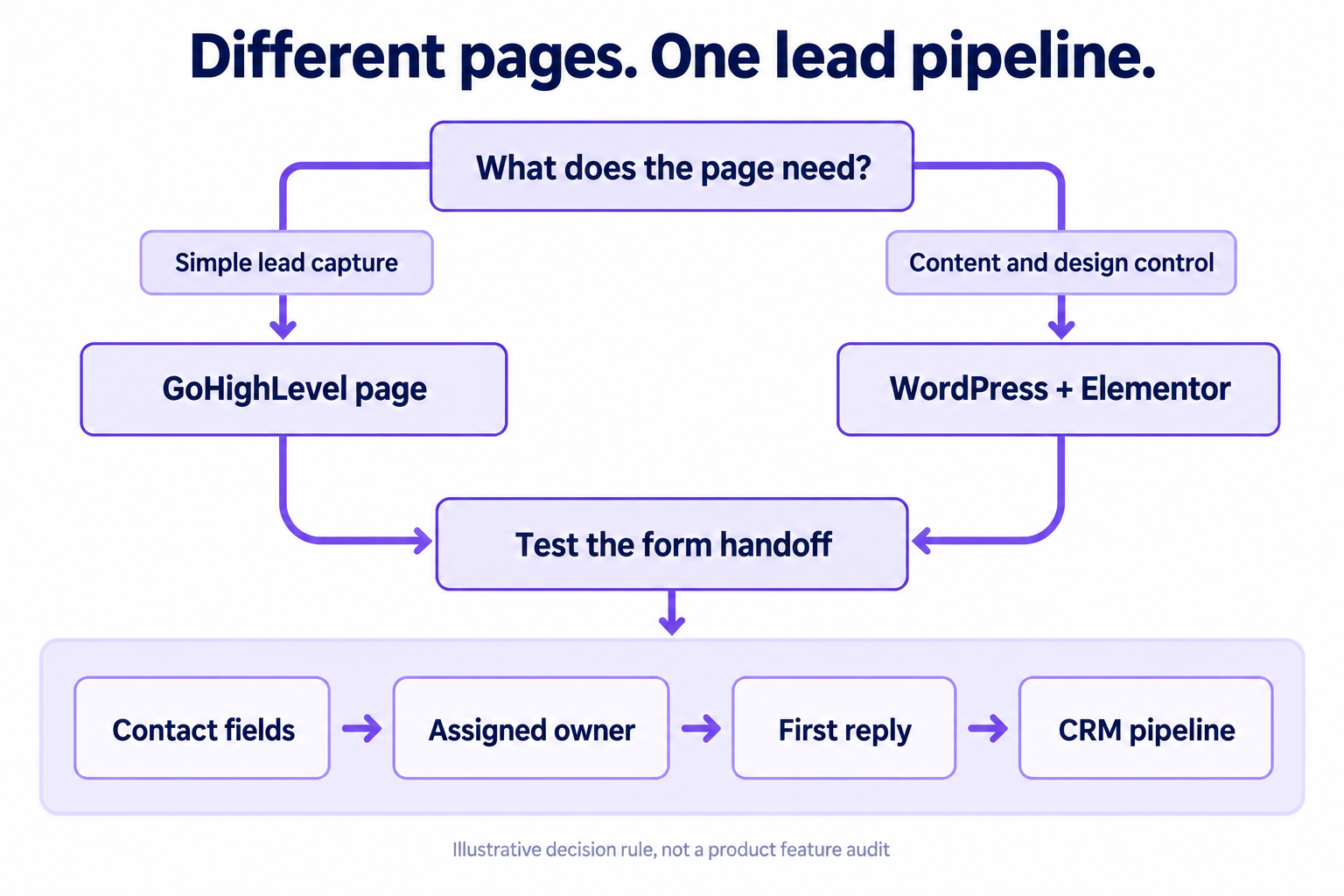
Use GoHighLevel’s native builder when the site’s job is lead capture, the design is template-shaped, and keeping the form, funnel, and CRM in one login matters more than pixel control. Choose WordPress with Elementor when the brand needs a dedicated design workflow, content publishing at volume, or a specific interaction that your team can build and maintain more reliably there.
You do not have to pick one forever. Many of our client builds run both: GoHighLevel for the CRM, pipelines, and funnels built to convert, WordPress for the flagship site and the blog. Decide who owns each connection. A two-tool setup with a tested handoff is preferable to a one-tool setup whose limitations nobody has checked.
Frequently asked questions
Can GoHighLevel completely replace WordPress for a small business website?
Yes, it can suit a simple business site where the main job is lead capture and follow-up. For a content-heavy or design-led site, compare the publishing workflow, reusable layouts, and required interactions before choosing. Test one representative page in each stack rather than assuming a feature request proves that a capability is missing.
Why is a two year old GoHighLevel feature request still marked in progress?
The public request we checked is still marked in progress and does not give a committed shipping date. It also bundles several improvements, so its status does not prove every requested feature is absent. Plan around documented capabilities you can test now, and ask support about any requirement that would decide the purchase.
Does GoHighLevel’s AI website builder remove the need for a designer?
It can reduce the work needed to create a first draft, but human review remains necessary. HighLevel’s documentation asks users to verify generated copy, offers, links, images, and SEO fields before publication. Whether you need a specialist designer depends on the design brief and the team’s ability to check the resulting page.
Is it a problem to run part of a business on GoHighLevel and part on WordPress?
Not if the connection between them is deliberate. The form on the WordPress site should fire into the same GoHighLevel pipeline as a form built natively inside GoHighLevel. The failure mode is not using two tools, it is connecting them loosely and finding out six months later that one system’s version of a contact drifted from the other’s.
If you have pushed GoHighLevel’s builder further than we have and found a workaround for one of the gaps above, we would like to hear how you did it. If you are deciding whether your next site belongs inside GoHighLevel or outside it, and whether your CRM needs a custom CRM build or standard GoHighLevel wiring, book a strategy call. We also do the web development work itself, on whichever stack the page needs, and will tell you honestly which approach fits the build.
Benison David Sanchez is the CEO and AI Digital Marketing Strategist of BDGS Digital, a technology, CRM, automation, and growth company based in the Philippines and serving clients globally. He leads digital marketing and client acquisition for the company, and over five years has worked with more than 100 businesses across ecommerce, service, coaching, accounting, and technology, building connected growth systems where every campaign ties back to a larger system rather than running in isolation. He builds client sites on both GoHighLevel and WordPress most weeks, and writes about which one earns its place on a given build.
Connect on LinkedIn.