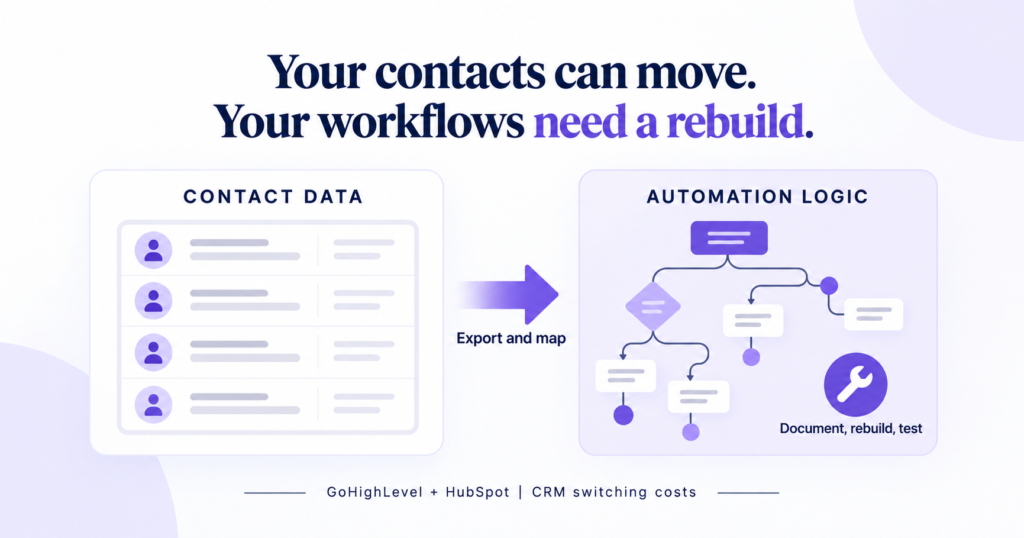
A common explanation of vendor lock-in goes like this: your contacts are trapped, so export them and you’re free to go. We’ve moved businesses in and out of GoHighLevel and HubSpot for years, across more than a hundred client accounts, and that explanation is incomplete enough to be misleading. Contacts export in an afternoon. What actually keeps a business sitting on a CRM it has outgrown is the automation sitting on top of it: the workflows, the triggers, the tag logic, years of “if this happens, do that.” None of it moves with you. Not because either vendor is hiding something, but because neither platform lets automation logic leave in a form the other side can read, and almost nobody explains that before a business signs a longer contract.
The Story Everyone Tells About Lock-In
The standard advice is not wrong, it’s just aimed at the wrong moment. Data portability, integration rebuilds, contract structure, and the cost of retraining team habits all affect a CRM switch. Those are useful checks before choosing a platform. That advice is worth following before you sign anything, alongside a CRM migration checklist for moving into a new system. It just assumes the blocker is the data, and by the time a small business is actually deciding whether to leave GoHighLevel or HubSpot, the contact list is rarely the hard part.
A business can outgrow a platform as its processes become more complex. But knowing that switching is disruptive does not give you a migration plan. You need to identify the specific triggers, branches, and dependencies that must be rebuilt.
What Actually Happens When You Try to Leave
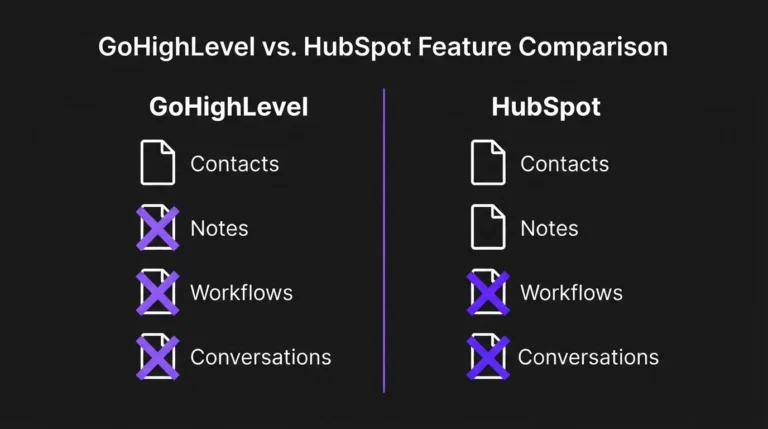
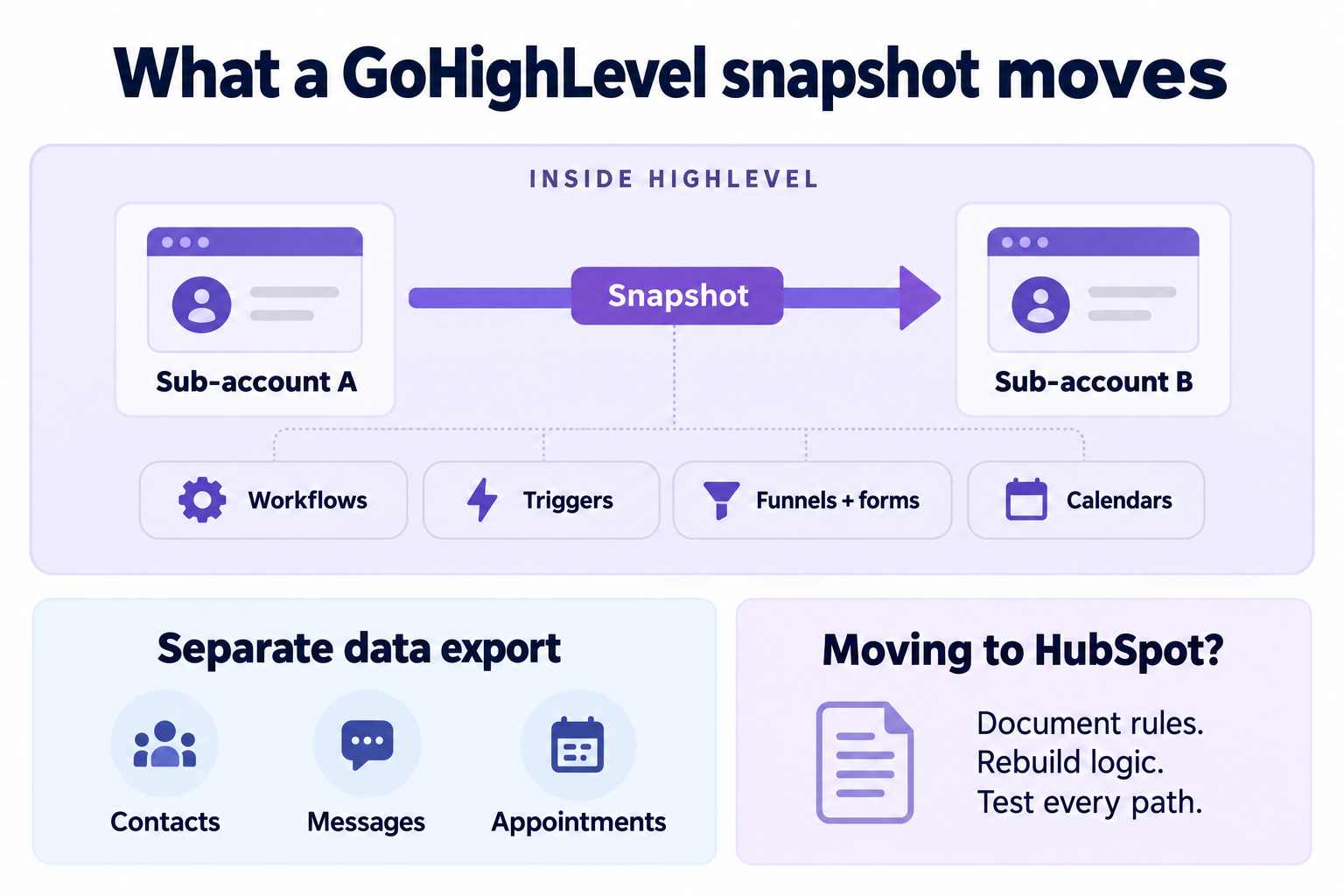
We checked both platforms’ documentation on October 7, 2026. GoHighLevel’s snapshots copy workflows, triggers, funnels, forms, calendars, and selected AI configurations between HighLevel sub-accounts. Customer records and live activity, including contacts, appointments, messages, and conversation history, are excluded. That makes a snapshot a tool for reusing a HighLevel setup, not an importer for HubSpot. HighLevel’s snapshot overview was updated September 30, 2026.
HubSpot documents two useful exports: a spreadsheet inventory of workflows and PNG images of individual workflows. The inventory includes status, enrollments, and modification dates; its export excludes execution history and performance data. An image can help someone understand a branch, but neither documented export is a runnable workflow you can import into HighLevel. Save both as rebuild references, then document conditions and delays separately.
That matches what we see on the ground. When we’ve helped a client restructure the automation layer of their business, inside GoHighLevel or moving off it entirely, the contact export is a non-event. It’s the workflow rebuild that eats the calendar: recreating every trigger, every branch condition, every tag that quietly gates a step, then testing each path again because a sequence that has run cleanly for two years has never once been re-tested from scratch. Nobody budgets for that time because nobody sees it coming. The sales conversation is about contacts and pricing tiers. The actual cost shows up three weeks into the rebuild.
For a concrete example of the rules you would need to record, see the form lead routing workflow. BDGS Digital builds on GoHighLevel as part of its service stack, so this assessment comes from an implementation perspective.
Where the Data-First Story Is Still Right
To be fair to the conventional version, it partly wins for a specific kind of business. If you’re running multiple HubSpot accounts, or have years of duplicate and half-merged contact records, data really can be the harder problem. HubSpot says you cannot merge account data directly; each account’s data must be exported separately. That creates extra reconciliation work for a business that split its CRM across departments or acquisitions. A messy contact base with no clean owner field or consistent tagging can take longer to untangle than any workflow rebuild.
But that describes a business with a data hygiene problem it already had, lock-in or not. For the median small business we work with, one account, a few thousand contacts, a Starter or Pro tier plan, the contact data is often a CSV export away. That’s roughly the same conclusion we came to in our previous GoHighLevel assessment: most of what people blame on the platform is actually a setup problem. It’s the automation, the part that actually runs the business day to day, that still needs translation and testing in the receiving platform.
| Your starting point | Work to inspect first |
|---|---|
| One account, clean tagging, several branched workflows | Automation specifications, dependencies, and path tests |
| Multiple accounts, duplicate records, history that needs reconciliation | Data mapping, identity matching, and history requirements |
Planning examples, not measured completion times. Audit both data and automation before estimating the move.
What to Actually Do About It
If you’re choosing a CRM now, ask the vendor directly whether workflow logic exports in a usable format, not just a status report, before you sign anything longer than a year. If you’re already on GoHighLevel or HubSpot and have no plans to leave, the fix isn’t leaving, it’s documentation: keep a plain-language spec of what each automation is supposed to do, maintained outside the platform, so a rebuild anywhere is a translation job instead of an archaeology project. It’s the same reason we build a workflow map before touching the builder on any new client. The map records the business rules independently of the tool. HighLevel’s own HubSpot migration guide tells teams to recreate triggers, actions, delays, and conditions, then test before activation.
If you are planning to switch platforms, budget migration time by automation complexity, not contact count. A ten-workflow account with heavy branching will take longer to move than a hundred-thousand-contact list with three simple triggers, and most quotes we’ve seen for moving CRMs without losing data get that backwards.
If you’re trying to connect your CRM, follow-up, and ads into one connected system and you’re worried a future switch would mean starting over, book a strategy call. We’ll map what you have now, including the automation, before you’re locked into anything longer.
If you’ve actually made this move, either direction, we want to hear what it cost you in hours, not dollars, since hours are the number no vendor puts in a pricing table. Tell us what broke on the way out.
Frequently Asked Questions
Can I export my GoHighLevel automations to use outside HighLevel?
Snapshots reuse workflows inside HighLevel. They are not a documented cross-platform workflow importer, so plan to recreate the logic in the receiving CRM and test each path. Keep the trigger, branch conditions, delays, tags, and stop rules in a separate specification before starting.
Does a GoHighLevel snapshot include my contacts?
No. A snapshot captures configuration rather than live customer records. Export the customer data separately and check what the receiving system can import. Treat the snapshot as a reusable HighLevel setup, and keep a separate plan for contacts, conversation records, and other account activity.
Can I export my workflows if I cancel my HubSpot account?
Save HubSpot’s workflow inventory and individual PNG images before cancellation. The spreadsheet excludes execution history and performance data; neither documented export is a runnable cross-platform import. Use the saved files to support a separate specification of conditions, delays, and actions for the rebuild.
Why is switching CRM platforms so disruptive for a small business?
Contact and company data usually exports cleanly in some form. The automation built on top, the workflows, triggers, and tag logic that actually run day-to-day operations, generally has no cross-platform export, so it has to be rebuilt by hand and tested again from scratch.
What should I ask a CRM vendor before signing a longer contract?
Ask specifically whether workflow and automation logic exports in a usable, re-importable format, not only whether contact data exports. Also ask about contract auto-renewal terms and early termination provisions, since those compound the switching cost on top of the technical one.
Benison David Sanchez is the CEO and AI Digital Marketing Strategist of BDGS Digital, a technology, CRM, automation, and growth company based in the Philippines and serving clients globally. He leads digital marketing and client acquisition for the company, and over five years has worked with more than 100 businesses across ecommerce, service, coaching, accounting, and technology, building connected growth systems where every campaign ties back to a larger system rather than running in isolation. He has spent more hours than he’d like rebuilding automation logic that a spreadsheet export could never have carried over.
Connect on LinkedIn.