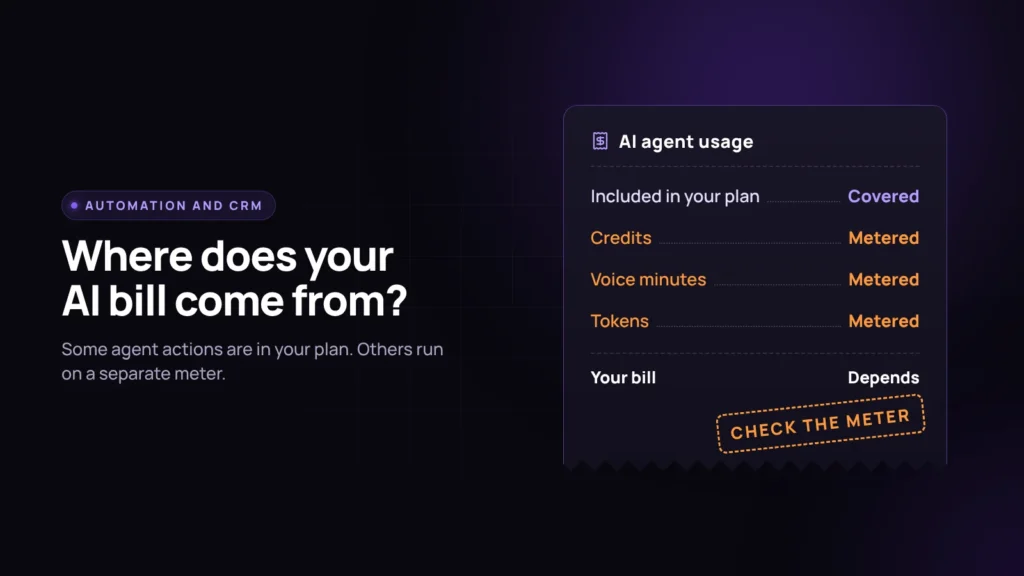
Every GoHighLevel sub-account has a wallet balance in the corner. Every HubSpot portal now has a credits counter in settings. Both numbers move whenever an AI agent does something on your behalf, and neither pricing page makes it easy to predict how fast that happens before you switch the feature on.
Both vendors show a clean headline number. Both then bill the actual AI work on a separate meter. Here is what each meter measures, and what goes wrong if you assume the headline number is the whole bill.
What HubSpot’s AI agents cost
HubSpot groups its AI agents under Agent Hub, which its pricing page lists with an Agent Builder, a Prospecting Agent, a Data Agent, and a Revenue Agent in beta, plus the Customer Agent for support conversations. These agents run on HubSpot Credits.
Paid plans include a monthly credit allowance. On Revenue Hub, per HubSpot’s pricing page, Professional includes 3,000 credits and Enterprise includes 5,000. Extra credits cost $0.010 each, bought in packs or through Pay-as-You-Go. Two details matter more than the rate:
- Credits reset monthly and do not roll over. A quiet month does not bank anything for a busy one.
- Allowances are not additive across hubs. If you own several hubs, you get the highest single allowance, not the sum.
How many credits an action uses is set in HubSpot’s credits rate sheet. When we researched this piece, a resolved Customer Agent conversation was listed at 50 credits, which works out to about $0.50 per resolution at $0.01 a credit. Confirm the current figure in the rate sheet before you budget, because HubSpot can change it.
HubSpot also gives you spend controls: you can set how much each feature may spend and pause features when you hit your limit. That matters, because it changes what failure looks like (more on that below).
What GoHighLevel’s AI Employee costs
GoHighLevel sells its AI stack three ways, per HighLevel’s AI Product Pricing article: pay-per-use with no monthly fee, AI Employee Growth at $50 a month per location, or AI Employee Unlimited at $97 a month per location.
Conversation AI (the text agent) bills on tokens on pay-per-use. HighLevel’s own example: 100,000 input tokens and 25,000 output tokens on GPT-5 comes to $0.375. Growth includes 1,000 agent responses a month. Unlimited removes the cap, subject to fair use.
Voice AI depends on the model. Speech-to-speech runs at an all-in $0.10 a minute on Google’s Gemini live model or $0.20 on OpenAI’s realtime model. The traditional pipeline stacks charges: a $0.045 per minute Voice Engine fee, plus a text-to-speech rate from $0.015 (OpenAI or Cartesia) up to $0.17 (ElevenLabs V3), plus model tokens. Growth includes 100 Voice AI minutes a month combined across inbound, outbound, and widget. Unlimited removes the cap.
Two things sit outside the flat fee no matter which plan you pick:
- Phone System charges. HighLevel states that telephony charges apply to every call regardless of plan, so “Unlimited Voice AI” still produces a phone bill.
- Agent Studio. HighLevel’s tool for building custom agentic workflows “is not included in any subscription plan” and stays pay-per-use on every tier. Model calls, web searches through Tavily at $0.01 each, and any image or video generation all bill separately through the wallet.
Agencies on the $497 a month plan can rebill AI Employee usage to client locations, which is how most agencies fund it.
Where each model breaks
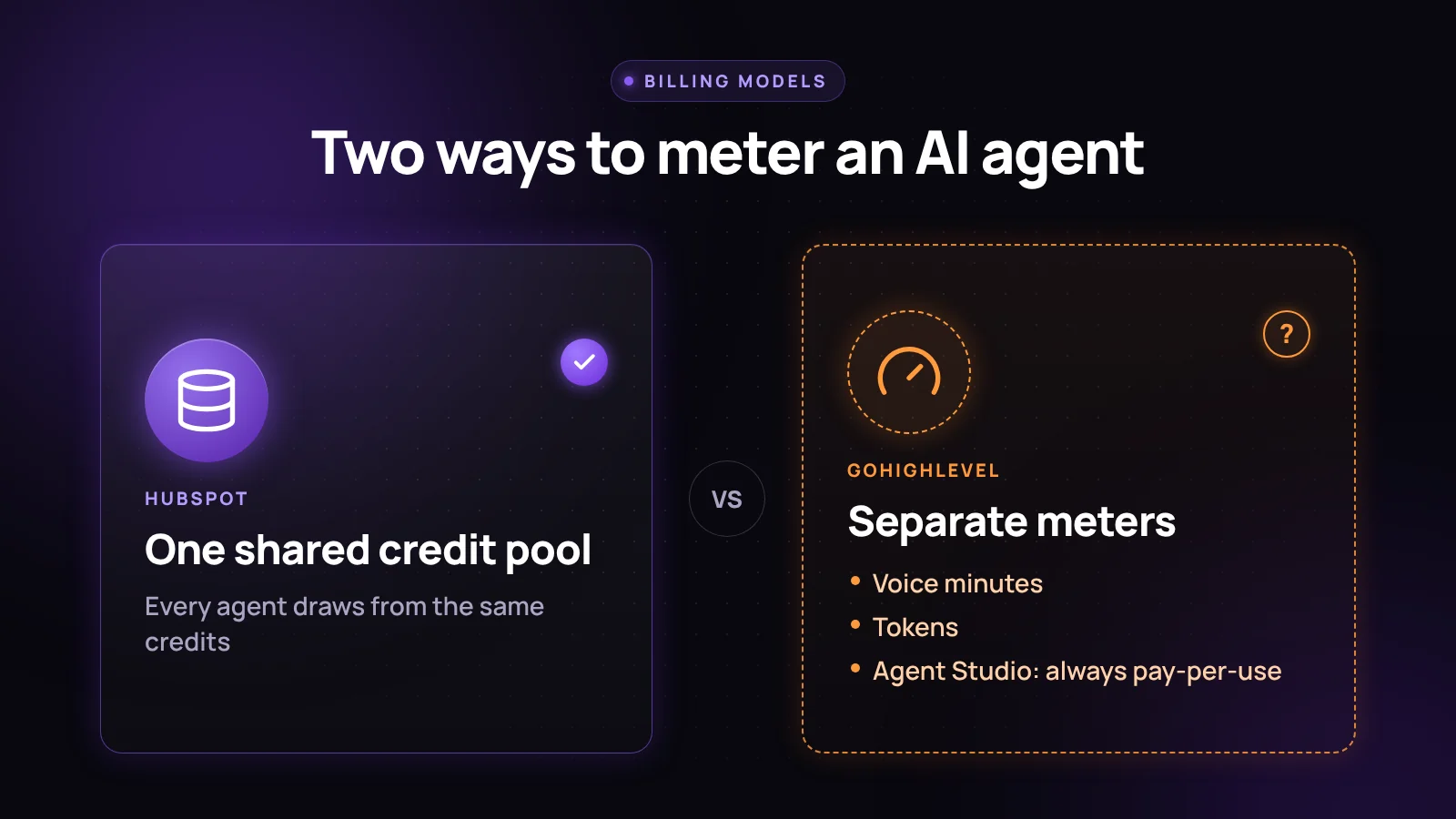
HubSpot’s weak spot is the shared pool. The Customer Agent, Prospecting Agent, and Data Agent draw on the same credits, so a big enrichment run can eat the credits you were counting on for customer conversations. If you have spend limits set and Pay-as-You-Go off, the first sign of trouble may be an agent that stops working mid-month rather than a surprise invoice.
GoHighLevel’s weak spot is the word “Unlimited.” The $97 plan genuinely covers Conversation AI and Voice AI usage, subject to fair use. It does not cover phone charges, and it does not touch Agent Studio, which is where the more interesting work happens once a business wants an agent that checks a calendar, searches the web, or drafts something beyond a chat reply. On Growth, what happens at the limit depends on the location’s AI usage limit settings: HighLevel lets you either keep AI running and bill overages, or block AI when the limit is reached.
Neither model is worse. They are opposite shapes of the same problem: a flat number that covers less than the product name suggests. If predictable cost matters most, GoHighLevel’s Growth or Unlimited plan is easier to forecast, as long as you stay out of Agent Studio and premium voice models. If you already live in HubSpot with steady conversation volume, the credit math is transparent. You just have to run it before committing.
How to estimate your real monthly cost
On HubSpot: estimate monthly Customer Agent resolutions, multiply by the current credits per resolution from the rate sheet, and price at $0.01 a credit. Compare against your included allowance. Add any scheduled Data Agent work, since it draws from the same pool.
On GoHighLevel: estimate call minutes using the voice model you will actually use, not the cheapest one listed, then add phone system charges. Add expected Conversation AI volume past 1,000 responses if you are on Growth. Budget Agent Studio separately if you plan to use it at all.
On either platform, build in a buffer of 20 to 30 percent above your first estimate. That is our working rule of thumb from configuring these systems, not a published benchmark, and it exists because the first real month almost always runs higher than the spreadsheet.
What to check before you turn either one on
- Confirm the plan tier the feature requires and whether credits or add-ons are included.
- Ask what “unlimited” excludes. On GoHighLevel that means phone charges, Agent Studio, and fair-use limits.
- Decide whether you want the agent to stop or keep running when it hits a limit, and set that explicitly. Both platforms let you choose.
- If an agency manages the account, get in writing who absorbs overage.
- Turn on usage alerts or spend caps before the agent goes live, not after the first invoice.
Frequently asked questions
Does GoHighLevel’s Unlimited AI Employee plan mean unlimited AI spend?
No. The $97 a month plan removes the caps on Conversation AI and Voice AI, subject to fair use. Phone System charges still apply to every call, and Agent Studio stays pay-per-use on every plan, including Unlimited.
How much does a HubSpot AI credit cost?
HubSpot prices additional credits at $0.010 each, bought in packs or through Pay-as-You-Go. Revenue Hub Professional includes 3,000 credits a month and Enterprise includes 5,000, per HubSpot’s pricing page.
Do unused HubSpot credits roll over to the next month?
No. HubSpot states that credits reset monthly during your subscription term and unused credits do not roll over.
What is GoHighLevel’s Agent Studio and why does it cost extra?
Agent Studio is HighLevel’s tool for building custom agentic workflows, separate from Conversation AI and Voice AI. HighLevel’s pricing documentation says it is not included in any subscription plan, so model usage, web searches, and generated images or video bill individually through the wallet.
Which is cheaper for AI agents, GoHighLevel or HubSpot?
It depends on usage. GoHighLevel’s $50 or $97 add-on is more predictable if you stay within Conversation AI and Voice AI and avoid Agent Studio and premium voice models. HubSpot’s credits are transparent for steady volume, but every agent shares one pool, so a spike in one can starve another.
The system this sits inside
An AI agent is only worth its meter if it is wired into the same CRM, routing, and reporting as everything else. That is the argument behind a connected growth system instead of a stack of subscriptions. Before pricing either agent, it is worth reading why most businesses are not ready for AI sales agents yet. For the bigger platform decision, see why small businesses rarely leave GoHighLevel or HubSpot and our honest GoHighLevel review.
If you want someone to run the numbers against your real volume, our AI and automation team can map what you run now and tell you whether the AI spend is worth adding yet. Book a discovery call.