What does the Contact Deduplication Preferences setting actually match on?
A contact record split in two is worse than having no record at all. The rep working the fresh copy has no idea a note, an invoice, or a missed call sits on the other one. We have opened GoHighLevel sub-accounts where the same person existed four times under slightly different spellings of one email address, and every time, the fix the account owner had already tried was the wrong one.
They found the setting called Allow Duplicate Contacts, turned it off, and assumed the problem was solved. It was not solved. That setting only watches three of the ways a contact can enter your CRM. The fourth way, the one most agencies use to migrate a list or bulk load an event’s worth of leads, ignores it completely.
Contact Deduplication Preferences, the current name for what used to be called Allow Duplicate Contacts, is a duplicate prevention filter with two parts. You choose a primary field, either email or phone, and GoHighLevel checks every new contact against it before creating a record. You can add a secondary field so a match on either one blocks a new duplicate from being created.
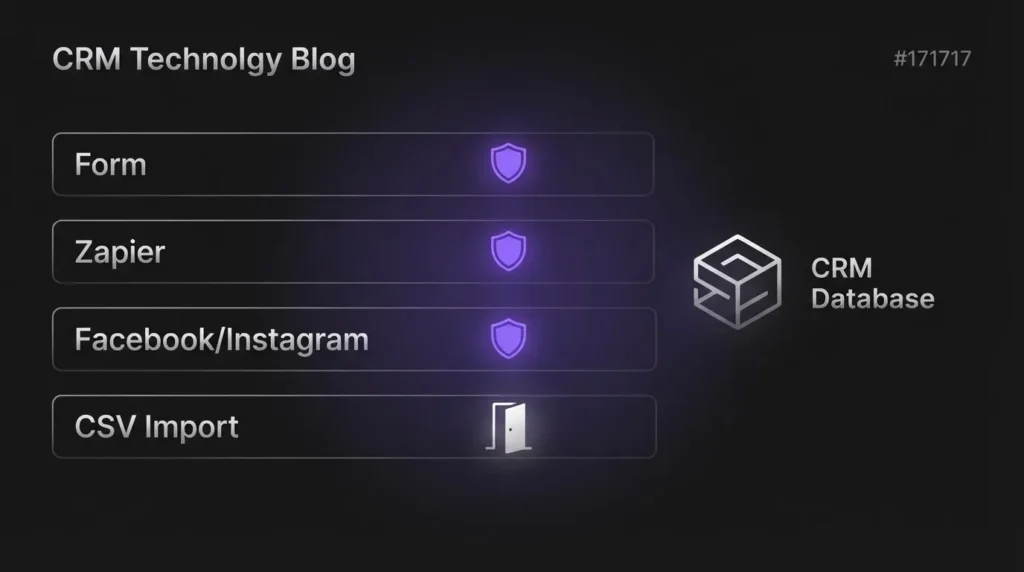
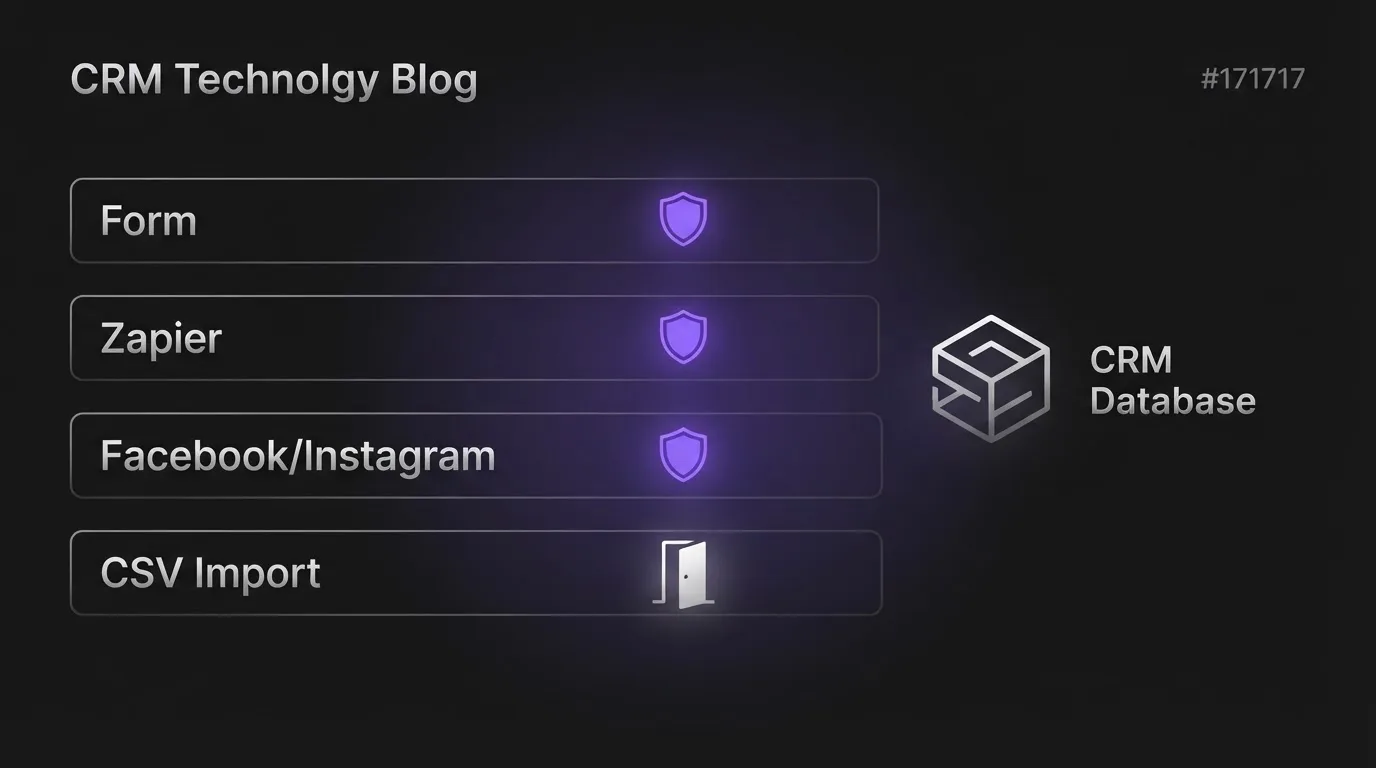
Here is the detail most walkthroughs skip. According to HighLevel’s own support documentation, this filter only runs on contacts arriving through forms, Zapier, and the native Facebook and Instagram lead integrations. That is the complete list. Four doors into your CRM are covered by this one setting, and no others.
If your leads mostly arrive through your website form and a Zapier connection from your ad platform, this setting does most of the job on its own. If they also arrive through a CSV upload from an event, a spreadsheet a sales rep kept on the side, or an older list you are folding in, the setting has no opinion on any of it. The same GoHighLevel ideas board surfaces the notes-export limit we ran into separately, where a contact CSV includes only the most recent note per a 36-vote unresolved request.
Why do CSV imports create duplicates even when the setting is turned on?
Because a CSV import runs a separate matching process, and it does not consult Contact Deduplication Preferences at all. HighLevel’s own import documentation states that when you import contacts, the system checks each row against existing records in a fixed order: Contact ID, then email, then phone. If none of those three match, you get a new contact, regardless of what your deduplication preference says.
This is not a bug, it is a separate system built for a separate job: reconciling a spreadsheet against a database rather than screening one live lead at a time. But if you assumed your dedup setting was watching that door too, it never was. We flagged this same Contact ID, then email, then phone order in the CRM migration checklist we published in August, in the context of switching platforms. The difference here is that this matching order runs on every CSV import, not only on migration day. A rep uploading a trade show list in month eight of using GoHighLevel can quietly reopen a problem you thought you had solved at go live, and what happens to duplicates after migration day is exactly the gap this post covers.
How do you clean up the duplicates that already exist?
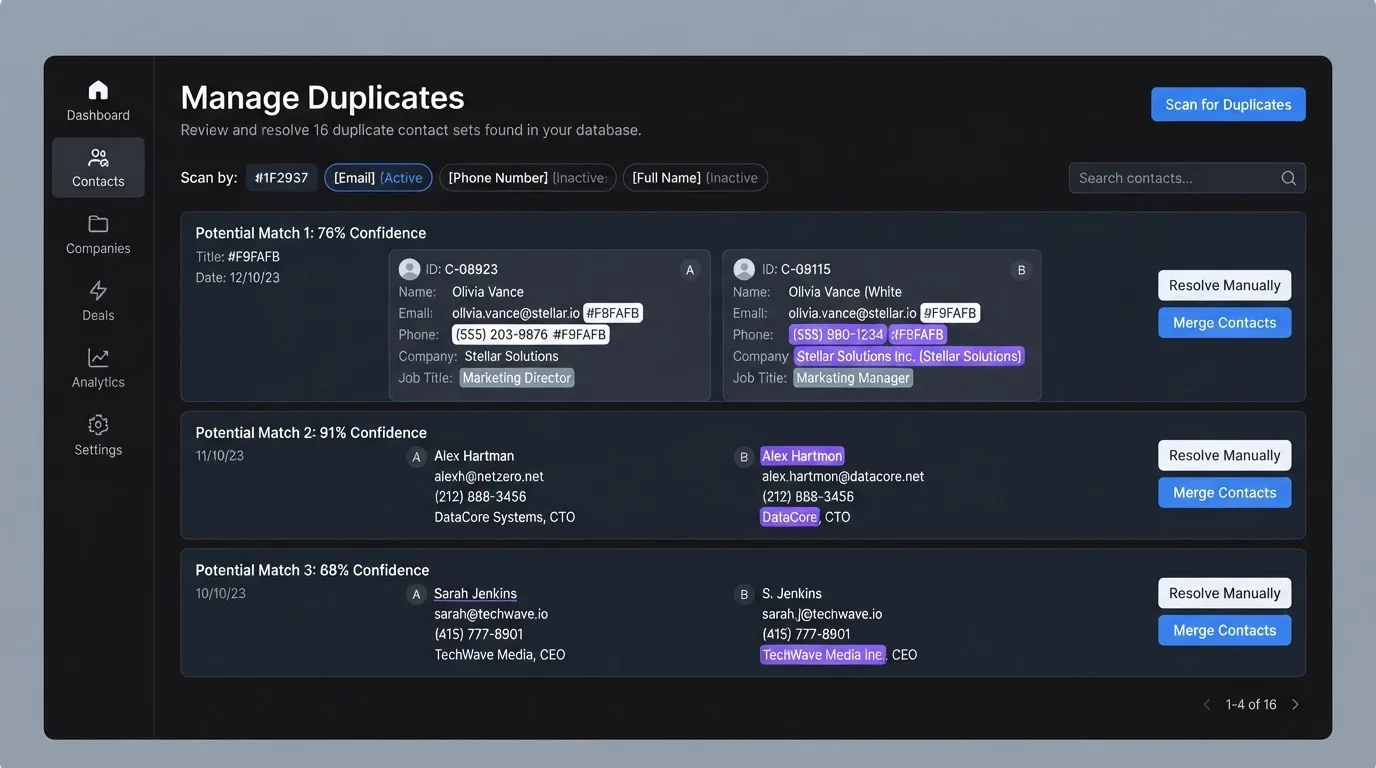
You no longer have to hunt duplicates one contact at a time. HighLevel shipped a Manage Duplicates tool inside the Contacts section, after a request for exactly this sat in its public ideas board since February 2019. That request collected 913 votes before HighLevel marked it complete on 14 October 2025.
The tool scans your contact list by email, phone, or name, whichever you choose, and surfaces likely duplicate pairs for review rather than merging anything blind. You pick a master record, and HighLevel folds tasks, opportunities, notes, tags, and any custom field the master left blank into that record, according to its own documentation.
Run the scan by phone first if most of your leads give you a number before an email address, and by email first if the reverse is true for your business. A name based pass afterward catches the pairs the first two miss, usually someone who changed an email or ported a phone number. One caution earned from doing this on client accounts: a merge cannot be undone, so open the conflicting fields the tool flags and check them before you confirm, especially on any pair sitting in different pipeline stages.
Can GoHighLevel merge duplicates automatically inside a workflow?
Yes. HighLevel’s contact management documentation confirms a Merge Contact workflow automation action exists for exactly this, for teams who want duplicate handling to run as part of an automation rather than a manual review pass. We would still put a human checkpoint before it fires on anything but the most obviously identical pair, since the merge itself is not reversible once it runs.
Why do two people who share a phone or email keep merging into one contact?
Because the setting was built to catch one person entering the CRM twice, not two people sharing one line. A coaching client and their spouse booking through the same household email, or a parent and a teenage client sharing one phone number, will match on your primary field and get folded into a single contact even though they are two different people with two different histories.
HighLevel does not currently let you add date of birth or a custom field as a matching criterion. This is the most requested unresolved piece of this feature in its own ideas board: one active thread asks plainly, “Can we add DOB and Phone as Duplicate field options,” citing physio, chiropractic, dental, and indoor playground businesses where a parent’s contact details cover more than one client. That thread and at least four related ones had gathered close to 100 combined votes as of this writing, with no shipped date attached.
Until that ships, the practical fix is not a setting, it is a naming convention. Give the second household member their own custom field tag, something like household-secondary, at the point of intake. That way a human, or a workflow condition, can tell the records apart even if a merge event tries to fold them together later.
What we would actually set up on a new GoHighLevel account today
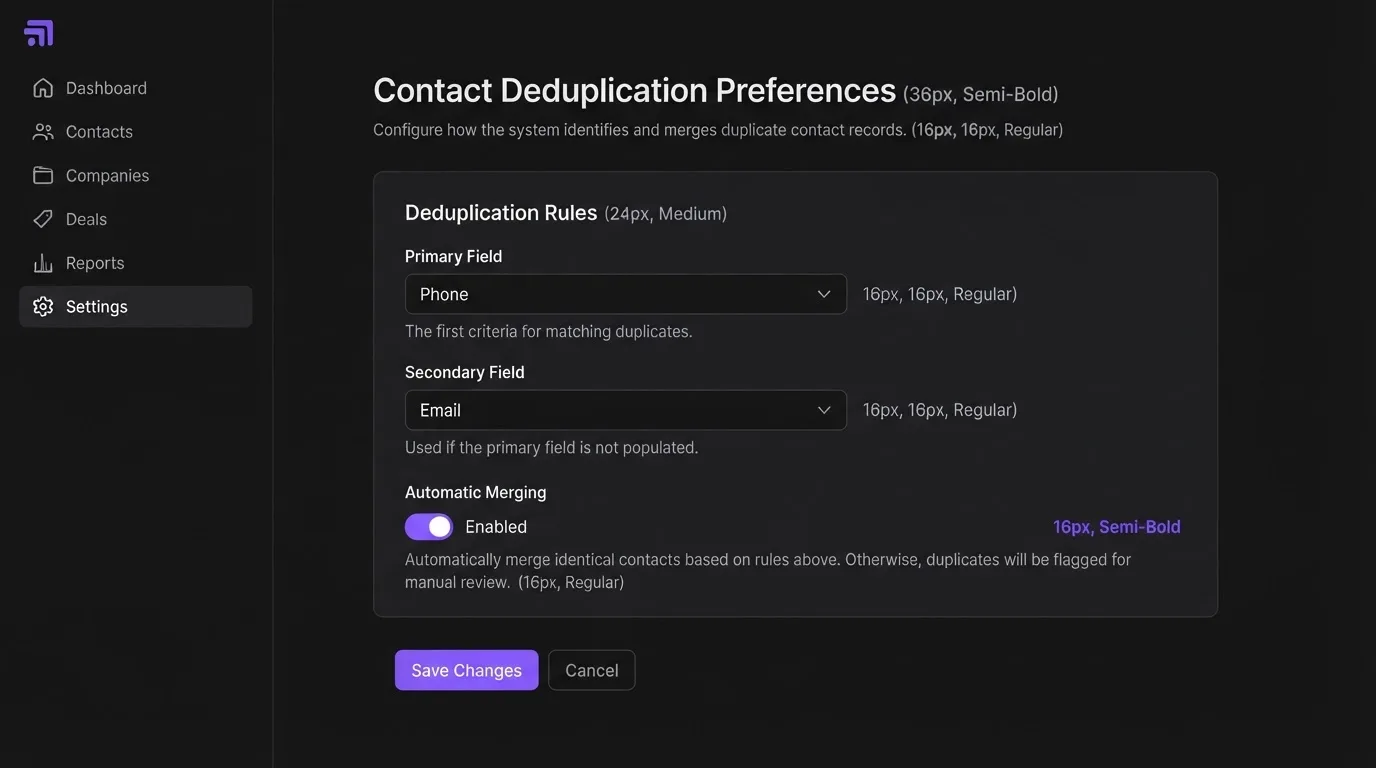
Phone as the primary matching field, email as the secondary. A person is more likely to reuse an old email account than an old phone number, so a phone match tends to catch the same person switching jobs or abandoning an inbox, which an email only match would miss. Contact Deduplication Preferences turned on for every form, Zapier connection, and social lead source from day one, not bolted on after the first cleanup.
Then a standing calendar reminder: run the Manage Duplicates scan monthly on an account under a few thousand contacts, weekly past that. We treat it the way we treat any CRM audit, a five minute habit that is cheap now and expensive to skip later. The real cost of a duplicate is never the extra row sitting in your database. It is the rep who replies to the fresh contact with no idea the actual conversation already happened three weeks ago, on the other one.
Frequently asked questions
No. This setting only checks contacts arriving through forms, Zapier, and the native Facebook and Instagram integrations. CSV imports use a separate matching order of Contact ID, then email, then phone, and they run this check regardless of what your deduplication preference is set to.
They are the same setting under two names. HighLevel’s interface and documentation now generally use Contact Deduplication Preferences, while older guides and some support articles still refer to it as Allow Duplicate Contacts. The underlying primary and secondary field matching works the same way under either name.
Yes. HighLevel offers a Merge Contact workflow action for teams who want duplicate handling triggered inside an automation rather than reviewed manually. Since a merge cannot be undone, most accounts are better served keeping a manual review step in front of it unless the matching pair is unambiguous.
No, not by design. Tasks, opportunities, notes, tags, and any custom field the master record left blank are combined into the surviving record during a merge. The merge itself is permanent, so review the fields the Manage Duplicates tool flags as conflicting before confirming.
Not yet. Users have requested date of birth and custom field matching in HighLevel’s public ideas board, mainly for households or clinics where multiple people share one phone number or email. Until that ships, tagging the secondary household member with a distinct custom field at intake is the workable stand in.
What we would do differently, and where to start
If your CRM has quietly split someone’s history across two records more than once, that is not a training problem, it is a configuration one. We map exactly where a GoHighLevel account is leaking contacts and fix the matching fields and cleanup cadence in the same visit, as part of our CRM management work. One clean contact record feeding every other system is what a connected growth system actually is, in miniature.
Want a second pair of eyes on your account? Book a strategy call and we will walk your current settings with you.