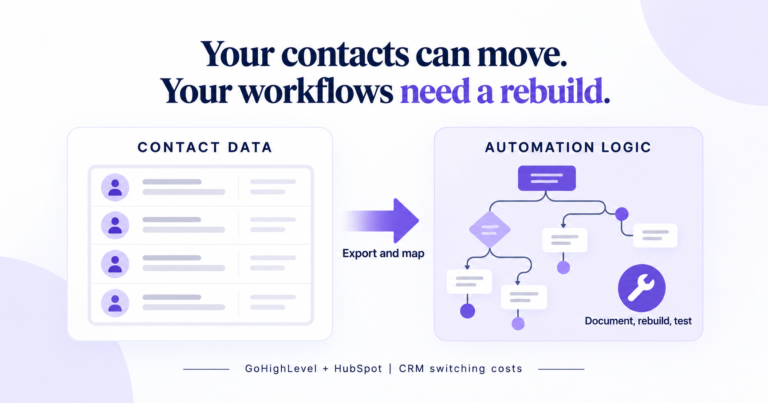
A client asked us a plain question last year: if this does not work out, can we get our stuff back? We told them the honest answer, which is that “your stuff” is not one thing. Contacts are one thing. Notes are another. Workflows are a third, and they do not travel the way most people assume. We went and checked both platforms properly for this piece, because the guides that rank for this question are almost all written by agencies trying to sell you a CRM migration, not by anyone who has actually read the export documentation.
Here is the short version. GoHighLevel will hand you your contacts and not much else. HubSpot will hand you a lot more, on paper, and then quietly leave out the one thing you actually needed. Neither platform is lying to you. Neither platform is volunteering the full picture either. We wrote our honest read on whether GoHighLevel is worth it a few weeks back, and this is the question that piece did not answer, so we went and answered it properly.
What can you actually export from GoHighLevel?
Natively, three things export cleanly. Contacts come out as a CSV with a customizable column set. Form and survey submissions download as CSV or arrive by email link within a seven day window. That is close to the full list of what GoHighLevel’s own interface will hand you as a file.
Message conversations do not have a built in export. To get your SMS and call history out, you need Twilio directly or an API integration, since GoHighLevel does not offer a one click download for it. We checked the HighLevel Support Portal’s own contact management folder, eighteen articles deep, and found detailed guides on importing contacts and troubleshooting CSV uploads. We found nothing on exporting data before closing or downgrading an account. That absence is itself the finding. A platform that documents importing in this much depth and says nothing about getting your own data back out is telling you where its incentives point.
Workflows are the sharpest edge. There is no native export of a single automation as a file. The closest thing GoHighLevel offers is a Snapshot, and a Snapshot is not what most people picture when they hear the word “export.”
What is a GoHighLevel snapshot, and why isn’t it an export?
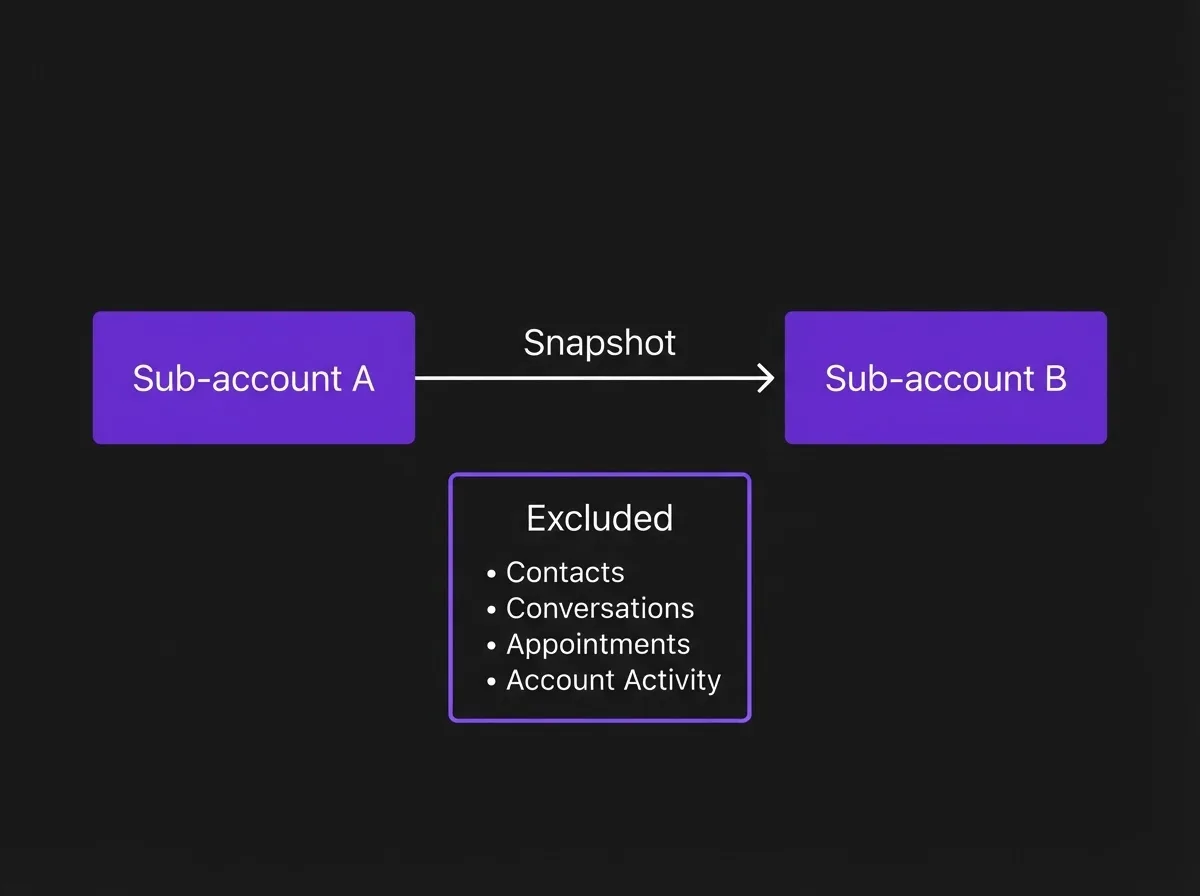
GoHighLevel’s own Snapshots Overview documentation defines a Snapshot as a reusable template that captures selected configuration assets from a sub-account so they can be copied into a new or existing sub-account. That definition matters more than it sounds like it should, because of what it excludes. Snapshots are built to move configuration between HighLevel accounts. They are not built to move your business off the platform.
The official Snapshots Overview article lists contacts, appointments, conversations, and account activity under “items that do not transfer.” Read that again: contacts do not transfer in a Snapshot. The one thing a business owner most wants to keep is explicitly out of scope for the one feature that sounds like a backup.
There is also no option to export a Snapshot as a downloadable file or use it outside GoHighLevel. It moves data from one HighLevel sub-account to another HighLevel sub-account, full stop. We built one for a client who wanted to spin up a second brand under the same agency account, expecting it to carry over the intake workflow wholesale. It did carry the workflow logic. It did not carry a single contact, and it took us a separate CSV export and a re-import to reconnect the two.
The gap is real enough that agencies have gone looking for workarounds. A feature request on GoHighLevel’s own ideas board asking for the ability to export or import a single workflow between client accounts, with JSON so it becomes version controlled and editable, sits at 62 votes with no status and no staff response as of this writing. A third party Chrome extension exists specifically to pull a workflow out as JSON, which would not need to exist if the platform did this natively. A second, separate feature request asking GoHighLevel to include more than the single most recent note when exporting a contact has 36 votes and the same lack of a status label. Neither has moved.
What can you actually export from HubSpot?
HubSpot’s documentation is genuinely more thorough here, and it deserves credit for that. Its official export guide covers contacts, companies, deals, tickets, calls, and custom objects as CRM records, plus activity history, audit logs, workflows as spreadsheets with enrollment data, individual workflow diagrams as PNG images, and a long list of marketing and content assets.
Read the workflow line again, though. You get a spreadsheet of who enrolled and a picture of what the workflow looked like. HubSpot’s own documentation states plainly that the export does not include “performance data or the workflow’s history,” which means you can see the shape of the automation but not what it actually did over the time it ran. If a client ever asks us to justify a build by showing what an automation achieved historically, that number lives inside HubSpot and does not leave with you.
Two other lines in HubSpot’s own export documentation are worth knowing before you sign a longer contract, not after. Forms lose their paid features once the account is deactivated, and legacy CTAs stop functioning the same day. Both of those can break inbound pages that still get traffic after you have moved on. And HubSpot states directly that there is no way to merge data between two HubSpot accounts, so an agency consolidating two client instances into one is looking at a manual rebuild either way, not a technical merge.
A developer we cross checked this against, writing about CSV exports from HubSpot at scale, put it more bluntly: most of the frustration comes from trying to automate something the export tool was never built to automate. Manual UI exports work fine for occasional use. Associations between a contact, its company, and its deals often need separate exports and manual reassembly. Recurring, scheduled extraction needs the API or a paid integration platform, not the export button in the settings menu.
Where each platform actually breaks
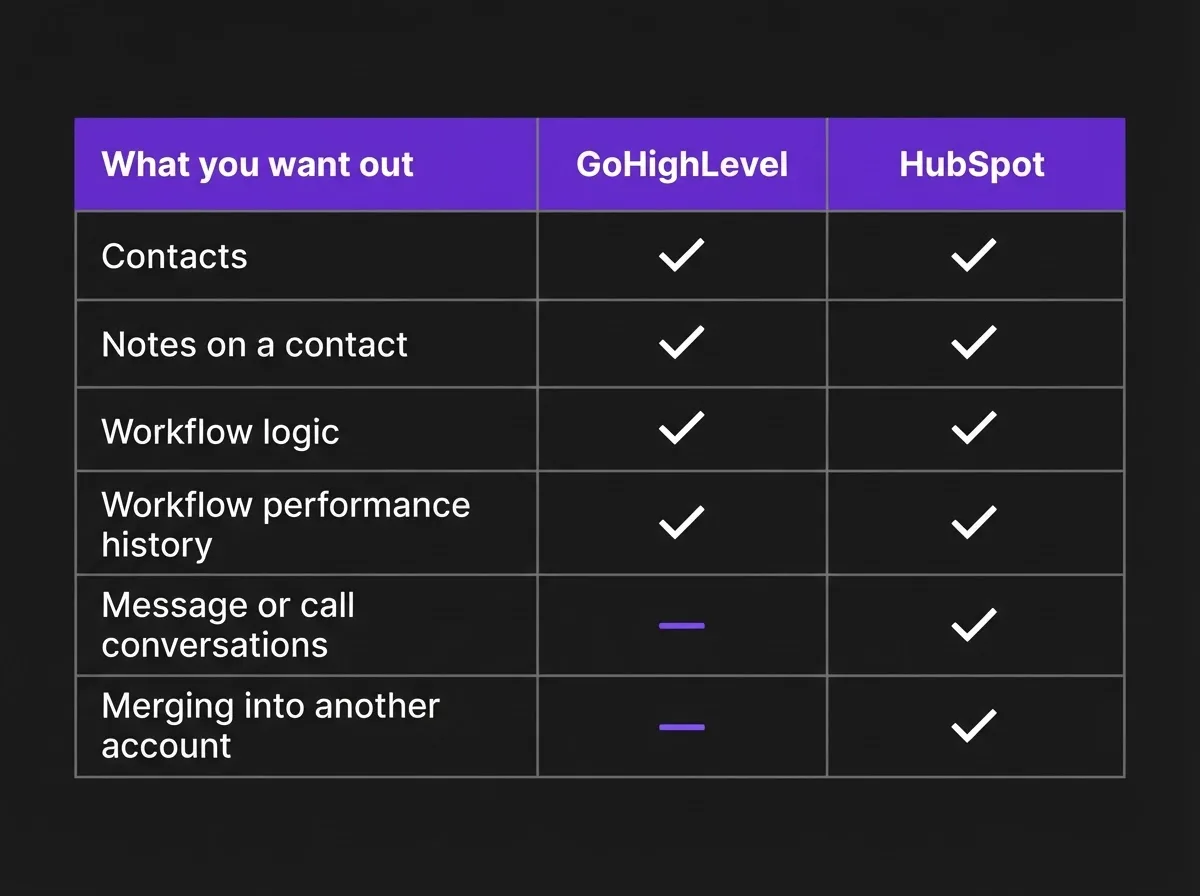
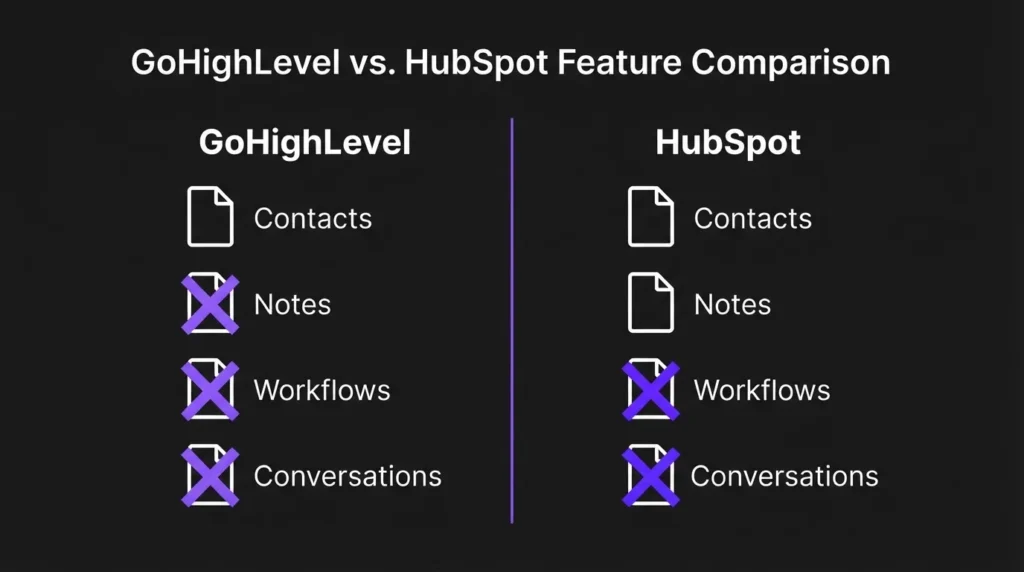
Here is the side by side, row by row, so you can see the gap in one read instead of hunting through two separate documentation portals.
| What you want out | GoHighLevel | HubSpot |
|---|---|---|
| Contacts | Clean CSV export, customizable columns | Clean CSV export, custom objects included |
| Notes on a contact | Most recent note only, per an open 36-vote feature request | Exportable with the contact record |
| Workflow logic | No native export; Snapshot moves it only to another HighLevel account | Spreadsheet plus a PNG diagram |
| Workflow performance history | Not applicable, no export path exists | Explicitly excluded from the workflow export |
| Message or call conversations | Requires Twilio or a separate API integration | Not covered in HubSpot’s own export guide |
| Merging into another account of the same platform | Snapshots move configuration, not live data, between sub-accounts | Explicitly not possible, per HubSpot’s own documentation |
What we tell clients before they sign up for either one
We are not neutral here. GoHighLevel is part of our own service stack, and we build on it for most clients who need CRM and automation together in one place. That makes this finding more useful, not less, because we are the ones who have to explain it when a client asks the question that opened this piece.
Our answer now is to treat export as a day one habit, not a day you leave decision. Every quarter, pull a contact CSV regardless of whether you are happy with the platform. Screenshot or document your core workflows in plain language as you build them, since a picture of the logic outlives any single export format. This is part of the same discipline we wrote up in the migration checklist we actually use: most of the pain in a CRM switch is not the platform, it is the documentation nobody kept along the way. If you are on GoHighLevel and conversations matter to your business, especially call recordings for training or dispute purposes, wire up the API or a Twilio connection now, while you have time to test it, rather than during a rushed exit.
The mistake we see most often is not choosing the wrong platform. It is signing a longer contract, or building a year of automation logic, without ever checking what a clean exit actually requires. That check takes about twenty minutes on either platform’s own documentation. Almost nobody does it before they need to, which is exactly the kind of gap a connected growth system is supposed to close: your CRM, your automation, and your marketing should be documented as one system, not three black boxes that happen to talk to each other.
Frequently asked questions
Yes. GoHighLevel’s contact export produces a CSV with a customizable column set, and this works whether or not you plan to cancel. Export it before you cancel, since access typically ends with the account.
No. GoHighLevel’s own Snapshots Overview documentation lists contacts, appointments, conversations, and account activity under items that do not transfer in a Snapshot. Snapshots move configuration and reusable assets between HighLevel sub-accounts, not your live customer records.
No. HubSpot’s export produces an enrollment spreadsheet and a PNG image of the workflow’s structure. HubSpot’s own documentation states the export does not include the workflow’s performance data or history.
No. HubSpot’s documentation states there is no way to merge data between two HubSpot accounts, so consolidating two instances means a manual rebuild in the destination account.
There is no one click export inside the platform. You need a direct Twilio connection or an API integration to pull SMS and call history out, which is worth setting up before you need it rather than during a cancellation.
If you are staring at this decision right now
If you are trying to work out whether to keep building on your current CRM or plan an exit, and the honest answer keeps getting buried under sales pages from both sides, book a strategy call. We will look at what you have actually built, what genuinely exports cleanly, and what does not, before you sink another year into it.
If you have tried to leave either platform and hit a wall we have not covered here, we want to hear about it. The two feature request threads cited above have sat unresolved for a while, and the more specific the complaint, the more likely it is to actually get built.